All About Offline Privacy-First Health & Fitness Tracking Apps for iOS
What Makes an iOS Health and Fitness App Truly Privacy-First and Offline?
When we talk about a fitness app being "privacy-first," we are not talking about a generic marketing claim or a vague promise buried in a thirty-page terms of service agreement. We are describing a specific software architecture known as local-first design.
In a local-first application, your iPhone is the primary home for all your records. Every set logged, meal recorded, heart rate spike noted, and GPS coordinate mapped is written immediately to a local database inside your device’s sandbox. The app does not need to ping a remote server to render a chart, calculate your weekly training volume, or save your morning workout notes.
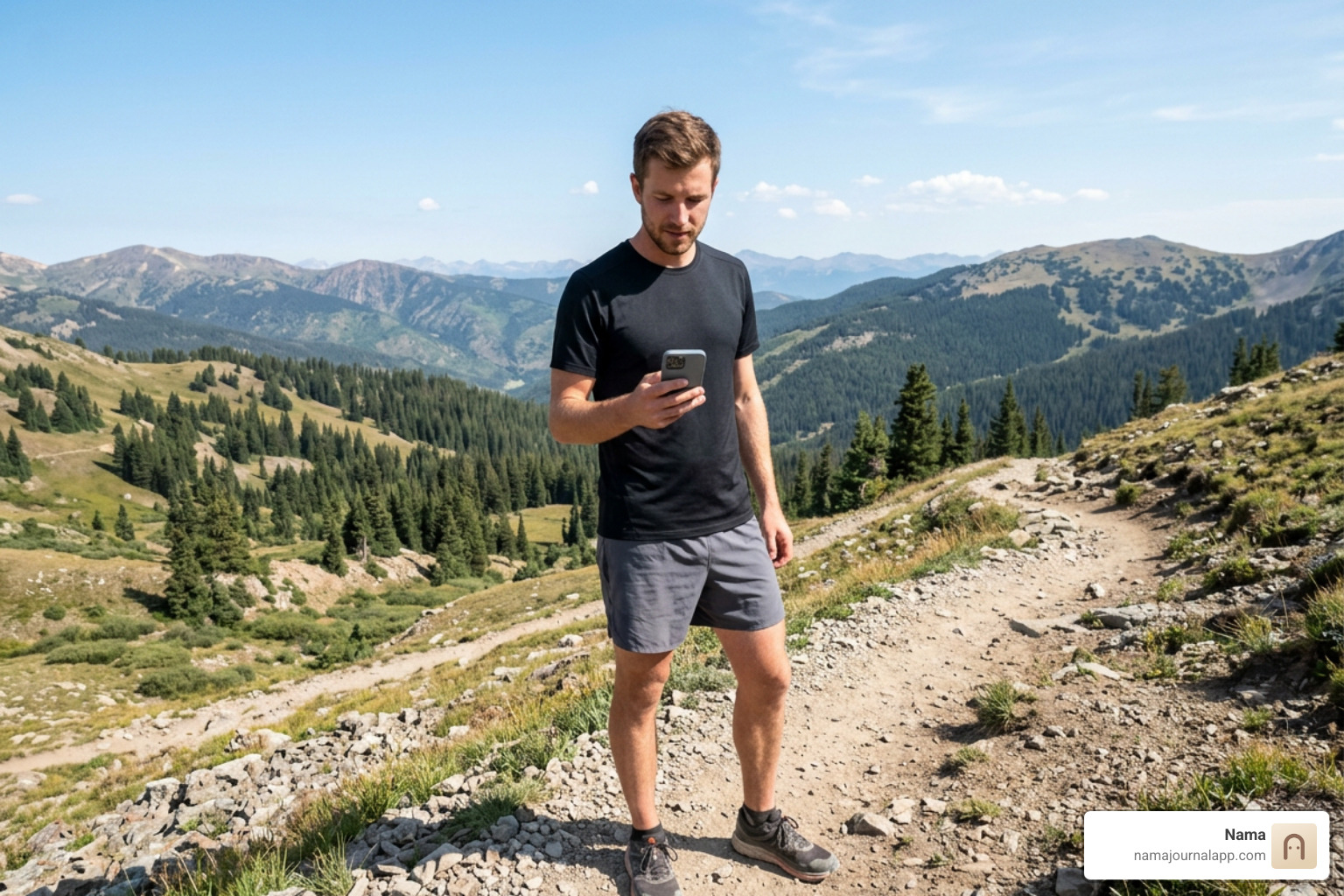
This distinction is vital for everyday usability. Roughly 53% of active consumers exercise outdoors at least some of the time, where cellular reception is frequently spotty or nonexistent. Whether you are running along remote mountain trails, traveling internationally without an active roaming data plan, or lifting in a reinforced-concrete basement gym dead zone, an offline-native app opens instantly and saves your logs without buffering.
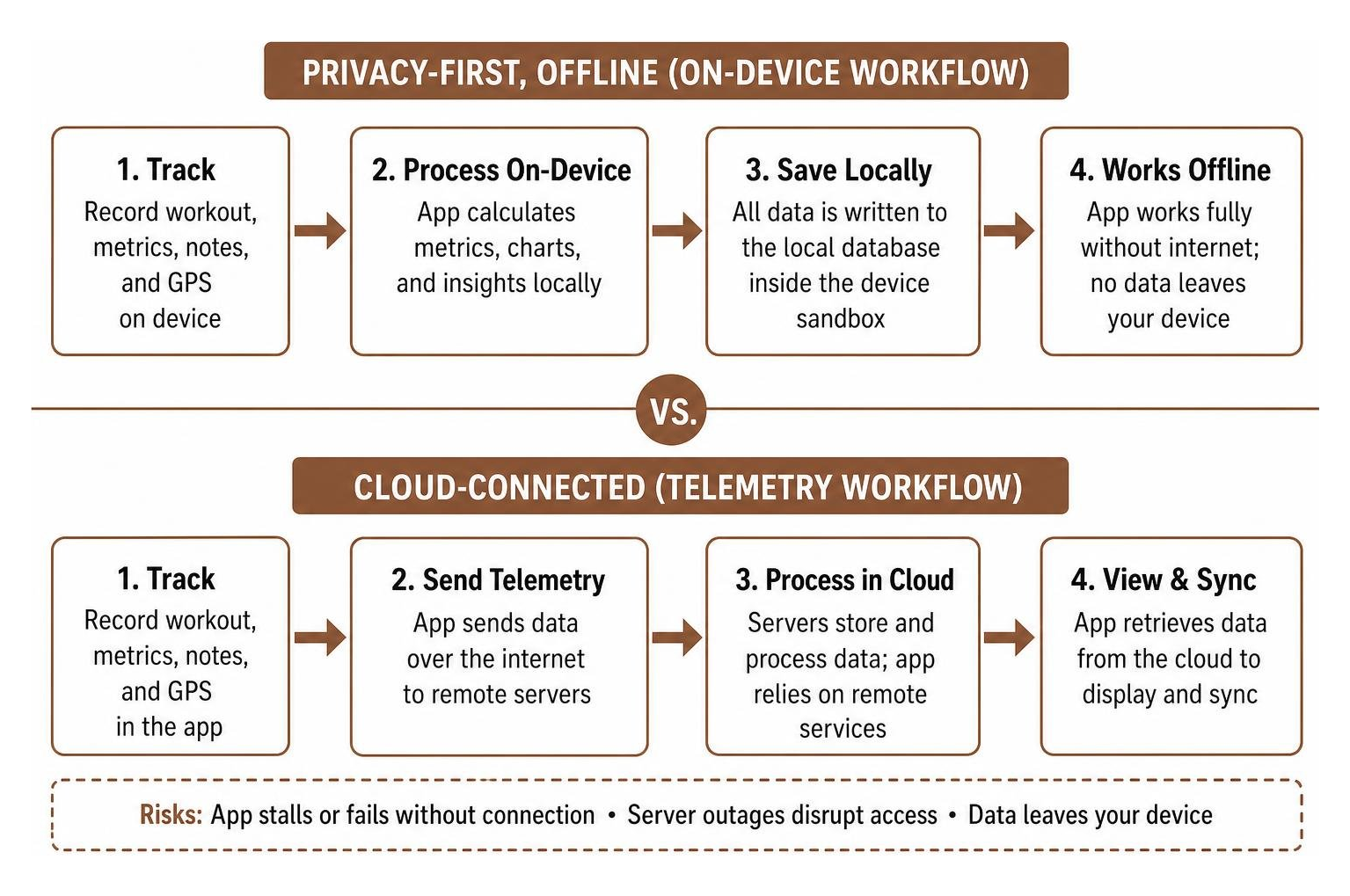
Mainstream cloud-connected fitness platforms work on an entirely inverted model. When you open a typical cloud-based tracker, the app functions as a thin client. Every action you take—starting a timer, checking your split history, or logging an exercise—sends a telemetry packet to a remote database. If that remote server experiences an outage, or if you walk into an area with poor cell reception, the app stalls, freezes, or fails to record your session.
Beyond sheer reliability, the data collection practices of cloud-first platforms present genuine privacy risks:
- Third-Party Analytics and Ad Brokers: Many mainstream fitness apps embed third-party Software Development Kits (SDKs). These background scripts harvest demographic data, device identifiers, and location patterns to build commercial advertising profiles.
- Health Data Monetization: When personal health data lives on centralized corporate servers, it becomes an asset that can be packaged, analyzed for commercial insights, or shared with corporate partners.
- Data Breaches and Subpoenas: Centralized databases represent attractive targets for malicious actors and can be queried or exposed in bulk without your direct knowledge.
- Account Lock-In: Cloud-first applications often hold your workout history behind proprietary formats and paywalled subscription tiers, making it difficult to extract your raw training data if you ever decide to leave.
A truly privacy-first iOS fitness tracker solves these issues by processing biometrics and workout entries on-device. When an app does not maintain developer-side servers, your sensitive physiological information cannot be monetized, leaked, or analyzed by third parties.
What Are the Best Privacy-First and Offline iOS Tracking Solutions in 2026?
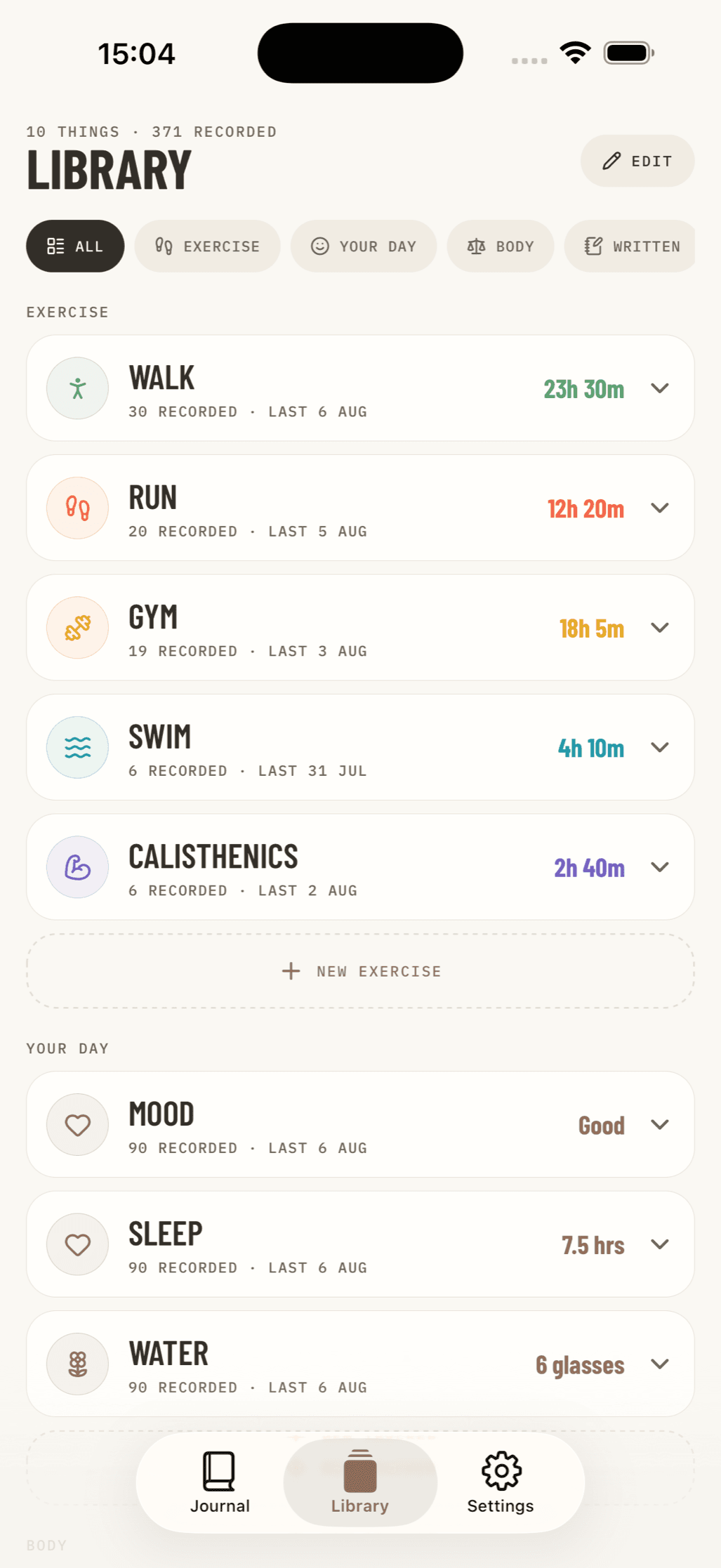
Finding iOS apps that operate without cloud dependencies requires looking across specialized categories. Because different physical activities require distinct tracking methods, the best offline toolkit is often modular—combining structured logbooks, motion trackers, and sensitive health journals.
Comprehensive Wellness and Workout Logging
For resistance training, daily habits, and custom wellness logging, digital logbooks that operate completely offline provide unmatched speed and privacy. Unlike cloud-gated apps that force you to create a user profile before you can record your first warm-up set, local-first logbooks let you open the app and start recording immediately.
We believe tracking your physical journey should never come at the cost of your digital privacy. That is why we built our platform around private by design features, ensuring that every custom metric, daily reflection, and wellness note remains strictly stored in local storage on your iPhone.
When you log custom strength routines, progressive overload milestones, or barbell splits inside a private exercise log, your training numbers are processed locally with zero background telemetry. You can track customized sets, reps, RPE (rate of perceived exertion), meal logs, and recovery notes simultaneously.
Because we prioritize full user ownership, these offline logging features allow you to export your entire history—including raw text and full-resolution exercise photos—directly to your local device or personal storage drives whenever you choose.
GPS Motion, Running, and Cycling Tracking
A common misconception among iOS users is that GPS tracking requires an active cellular data connection. In reality, the GPS receiver inside your iPhone communicates directly with positioning satellites orbiting the Earth. You can track outdoor runs, walks, and bike rides in complete Airplane Mode with zero cellular signal.
The issue with mainstream running apps is not GPS technology—it is how the software handles your location coordinates. Mainstream apps automatically upload your precise route coordinates, timestamps, and elevation profiles to their cloud servers, frequently publishing them to public feeds and competitive leaderboards.
Privacy-first motion trackers operate entirely on-device:
- Native On-Device Processing: Offline motion trackers process GPS coordinates, elevation gain, and split paces strictly on your iPhone. By leveraging native iOS frameworks like CoreLocation and Apple Maps for local rendering, route visualization occurs without sending spatial telemetry to developer servers. Multi-device synchronization, when supported, occurs directly through your private, personal iCloud storage rather than centralized corporate databases.
- Built on Native iOS Frameworks: Independent privacy tools prioritize stability by adhering to Apple's developer privacy guidelines. When choosing an offline motion tracker, prioritize tools built on native iOS frameworks and local file export standards to ensure your historical workout data remains accessible regardless of future app updates.
Sensitive Biometric and Cycle Tracking
Certain health records require an absolute guarantee of privacy. Menstrual cycle metrics, ovulation logs, and intimate physiological symptoms carry significant privacy sensitivities that should never be stored on central corporate servers or exposed to data brokers.
Specialized offline privacy tools demonstrate how sensitive biometrics should be handled on iOS:
- Local-Only Storage: All symptom logs, cycle dates, and body temperature metrics are stored exclusively in local device memory.
- Passcode and Biometric Locks: These apps feature built-in PIN codes and Face ID authentication layers independent of your iPhone’s main Lock Screen.
- Automated Data Self-Destruction: Dedicated privacy journals include scheduled automatic deletion routines, allowing users to wipe sensitive historical records automatically after a specified duration.
- Zero Identity Linkage: True offline tools do not require an email address, phone number, or social login, preventing any correlation between your physiological logs and your real-world identity.
By keeping these metrics quarantined on your local device hardware, your private health data remains shielded from commercial data harvesting and third-party legal requests.
How Do Offline Trackers Compare to Cloud-Connected Fitness Apps?
Choosing between an offline, privacy-first fitness tracker and a mainstream cloud-connected app involves balancing convenience features against data autonomy and operational reliability.
Here is how local-first trackers compare across key operational categories:
| Feature / Metric | Offline Privacy-First Trackers | Mainstream Cloud Fitness Apps |
|---|---|---|
| Primary Data Storage | Local iPhone sandbox / Private iCloud | Developer-hosted cloud servers |
| Account Requirement | None (No email, password, or sign-up) | Mandatory account creation & profile |
| Offline Reliability | 100% functional without internet or cell signal | Degraded; features buffer or fail without data |
| Data Privacy & Telemetry | Zero tracking; no third-party analytics SDKs | Telemetry sent to servers; ad broker sharing |
| Battery Consumption | Low (Minimal background network activity) | Moderate to High (Continuous network requests) |
| Feature Focus | Fast logging, local charts, custom notes | Social feeds, automated AI nudges, leaderboards |
| Pricing Model | Often one-time purchase or free local tools | Recurring monthly or annual subscriptions |
| Data Export | Direct export (CSV, JSON, local photo files) | Gated exports or restricted proprietary formats |
While cloud-connected apps offer server-side features like algorithmic matchmaking, competitive leaderboards, and generative AI coaching routines, those perks come with distinct operational trade-offs.
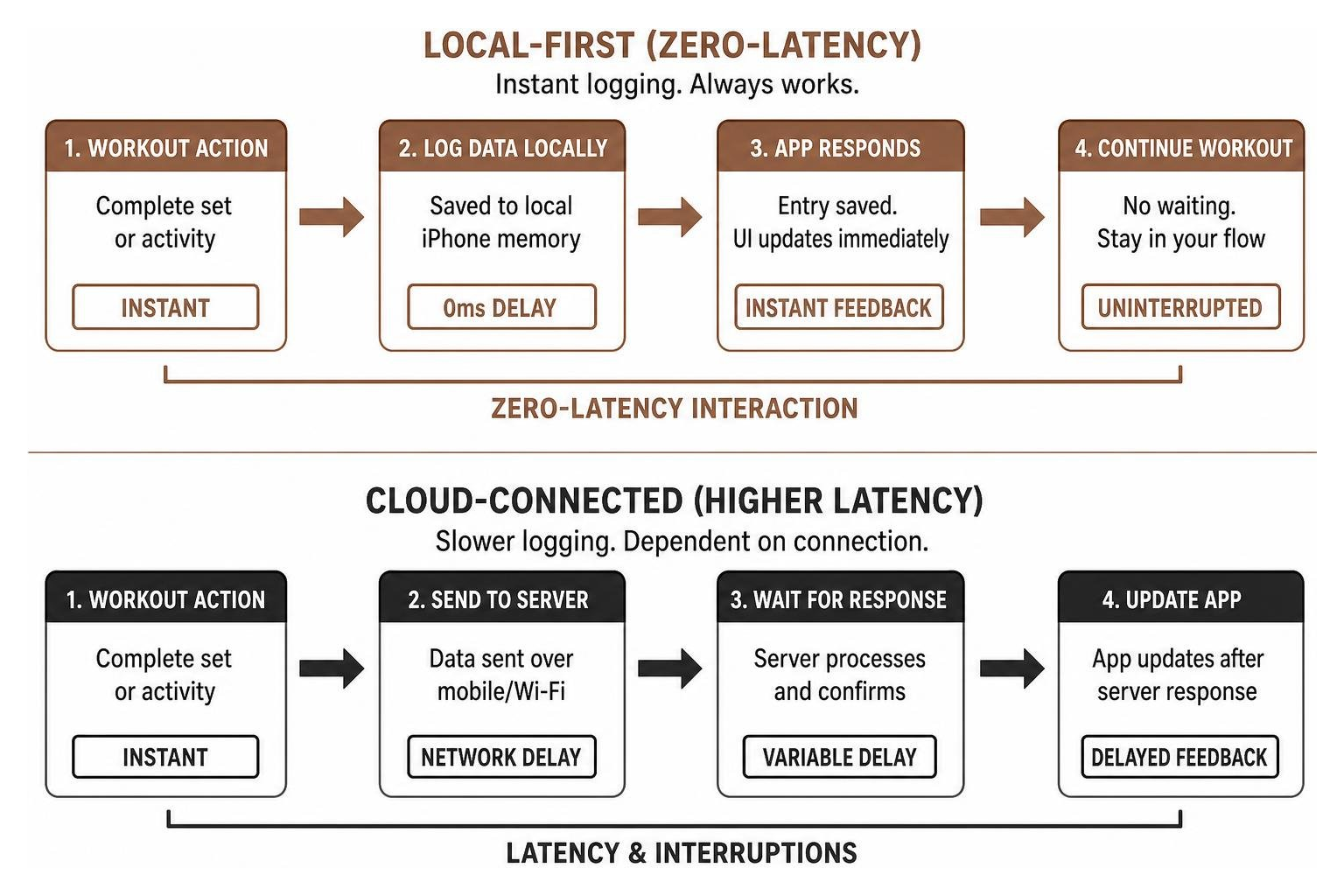
When you rely on local-first fitness tools, you gain four critical advantages:
- Zero-Latency Interaction: Local apps open and respond instantly. When you finish a heavy lift or complete a sprint, you can log your data without waiting for network spinners or server handshakes.
- Complete Habit Continuity: Your workout routine is never interrupted by spotty gym Wi-Fi, remote outdoor trails, or unexpected server maintenance.
- Extended Battery Life: Eliminating continuous network polling, ad loading, and background telemetry reduces battery consumption during long GPS tracking sessions.
- Absolute Data Ownership: Your training history belongs entirely to you. You can back it up, review it, or export it without subscription paywalls.
How Can You Verify That an iOS App Keeps Your Health Data Offline and Private?
You do not need to take a developer’s marketing claims at face value. iOS provides built-in tools that allow you to verify whether an app functions offline and respects your privacy.
1. Perform the Airplane Mode Test
The simplest way to verify an app’s offline integrity is to test it in a network vacuum:
- Turn on Airplane Mode on your iPhone.
- Turn off Wi-Fi and Bluetooth in your iOS Settings.
- Launch the fitness app.
- Attempt to log a complete workout, record a custom metric, add notes, and view your historical charts.
If the app locks you out, prompts you to log in, displays blank metric screens, or prevents you from saving data until you reconnect, it is fundamentally dependent on remote cloud infrastructure. A true local-first app will function smoothly without any active network connection.
2. Inspect App Store Privacy Nutrition Labels
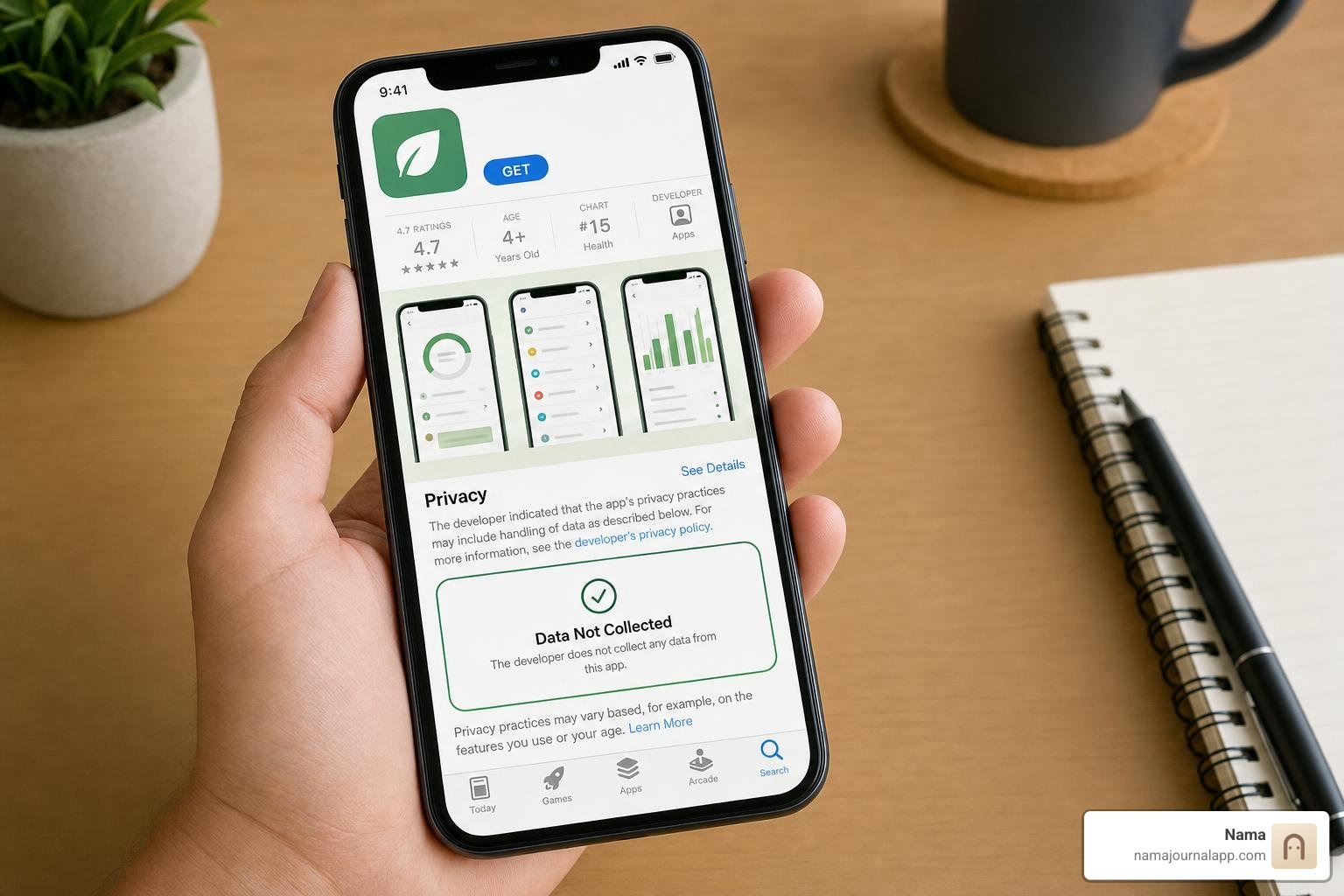
Apple mandates that all developers disclose their data collection practices on their App Store product pages. When evaluating a new fitness tracker, scroll down to the App Privacy section:
- The Gold Standard: Look for the "Data Not Collected" badge. This indicates that the developer collects zero data linked to your identity or device.
- Red Flags: Watch out for apps that list "Data Used to Track You" or categorize your Health & Fitness logs under "Third-Party Advertising" or "Analytics."
3. Review the Developer's Privacy Policy
A trustworthy offline app should maintain a clear, easily understandable privacy policy that explicitly outlines how local data is handled. Legitimate privacy-first developers clearly state that they do not operate intermediary servers, do not harvest biometric identifiers, and do not sell user data to advertising exchanges.
4. Check for Unrestricted Data Export Formats
A true privacy-first application never holds your data hostage. Look inside the app's settings menu to confirm that it supports open, standard export formats such as CSV, JSON, or direct photo backups. If an app makes it impossible to export your raw logs locally, your data is trapped within a proprietary walled garden.
Frequently Asked Questions About Offline iOS Fitness Tracking
Can Apple Health and native iOS fitness features be used completely offline?
Yes. Apple designed the underlying HealthKit architecture to process and store biometric data directly on your physical iPhone hardware.
When you track daily steps, active energy burn, or heart rate metrics using native iOS features, that information is calculated locally by on-device processors like the Apple Neural Engine and motion coprocessors. If you choose to sync Apple Health data across your personal devices, Apple protects that data using end-to-end encryption via your personal iCloud account.
Apple does not hold the decryption keys to your end-to-end encrypted health data, meaning unauthorized third parties cannot read your health metrics during transit. If you prefer to avoid cloud backups altogether, you can disable Health syncing in your iCloud settings, keeping your biometrics quarantined exclusively on your local iPhone.
How do privacy-first apps sync data between an iPhone and an Apple Watch without external servers?
Privacy-first apps take advantage of direct local communication protocols built into Apple's ecosystem. When an Apple Watch is paired to an iPhone, the two devices communicate directly over a private, encrypted Bluetooth and peer-to-peer Wi-Fi connection using Apple’s WatchConnectivity framework.
Workout metrics, heart rate readings, and motion data recorded on your wrist are transferred straight to your phone’s local storage without ever routing through an external web server.
For multi-device synchronization across iPads or secondary devices, privacy-respecting apps utilize your personal iCloud container (CloudKit). In this architecture, data transfers securely between your personal Apple devices without the app developer ever maintaining, seeing, or storing your records on a third-party server.
How can you securely back up your workout history if an app uses no cloud servers?
When using offline-first applications that do not maintain their own servers, you have several secure options for preserving your training logs:
- Direct Local File Exports: Most privacy-first trackers allow you to generate a CSV, JSON, or ZIP archive of your workout history and media. You can save these files directly to the iOS Files app, transfer them to a USB drive, or store them on a private computer.
- Encrypted Local Backups via Mac or PC: You can back up your entire iPhone locally to a computer using Finder (macOS) or iTunes (Windows). By selecting the "Encrypt Local Backup" option, all sandboxed app databases, health logs, and personal journal notes are securely backed up with password protection without uploading your data to the cloud.
- Personal iCloud Backups: If you utilize standard iOS iCloud backups, your device's sandboxed app data is backed up within your personal Apple account, encrypted according to your Apple security preferences (including Advanced Data Protection for end-to-end encryption).
Why Should You Choose Local Data Storage for Your Daily Health Journey?
Your health, fitness, and wellness journey is deeply personal. The weights you lift, the trails you explore, the meals you eat, and the physical symptoms you experience on a daily basis tell the story of your life. That information has immense personal value—and it belongs entirely to you.
Choosing local-first, privacy-respecting iOS applications ensures that your personal records are never transformed into advertising inventory or left vulnerable on remote corporate servers. Furthermore, local-first architecture provides the speed, reliability, and independence you need to stay consistent with your training, whether you are working out in a basement gym or traveling off the grid.
Take complete ownership of your daily fitness and wellness logs by exploring our private approach on the Nama home page, and discover the confidence that comes with keeping your health data offline, secure, and entirely your own.