Finding the Best Health Tracker App for Android Without the Fuss
Key Features to Look For in the Best Health Tracker App for Android
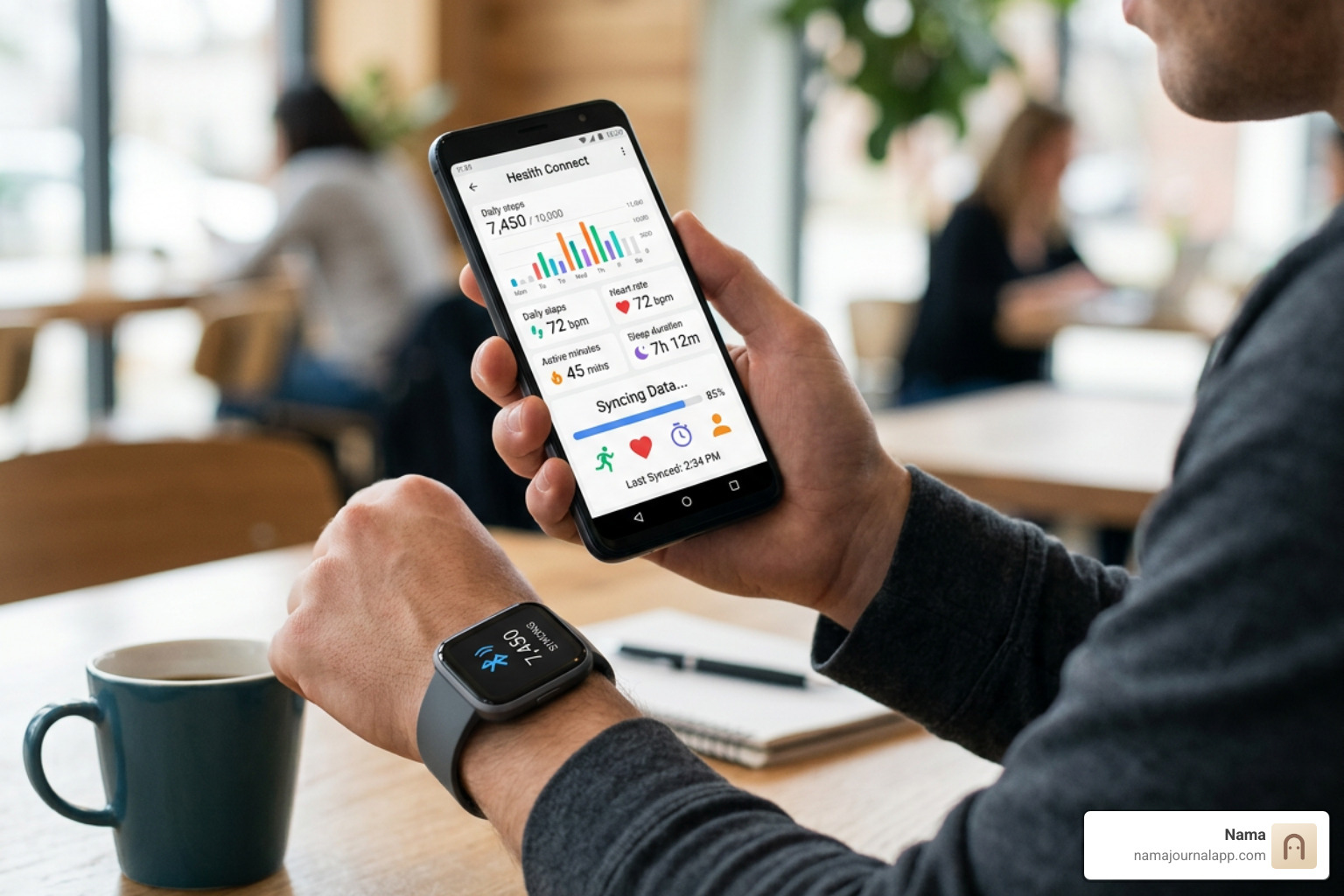
Choosing the best health tracker app for android requires looking past flashy interfaces and focusing on everyday utility. Selecting software that integrates seamlessly into your routine without technical friction comes down to key structural features:
- Ease of Use: Clear navigation, fast loading times, and low effort for logging daily stats.
- Metric Relevance: Software tailored to metrics you actually care about—whether that's sets and reps, macro breakdowns, or resting heart rate.
- Reliable Accuracy: Precision in step counts, distance measurements, and sensor readings.
- Affordability and Privacy: Transparent pricing without hidden paywalls, paired with clear control over your sensitive personal health data.
Reviewing a software’s full Features overview helps ensure you don't end up with bloated applications that overwhelm you with unnecessary social feeds or paywalled basic functionality.
Essential Metrics: Steps, Heart Rate, and Activity Tracking
The core foundation of any health app is core cardiovascular and daily movement tracking.
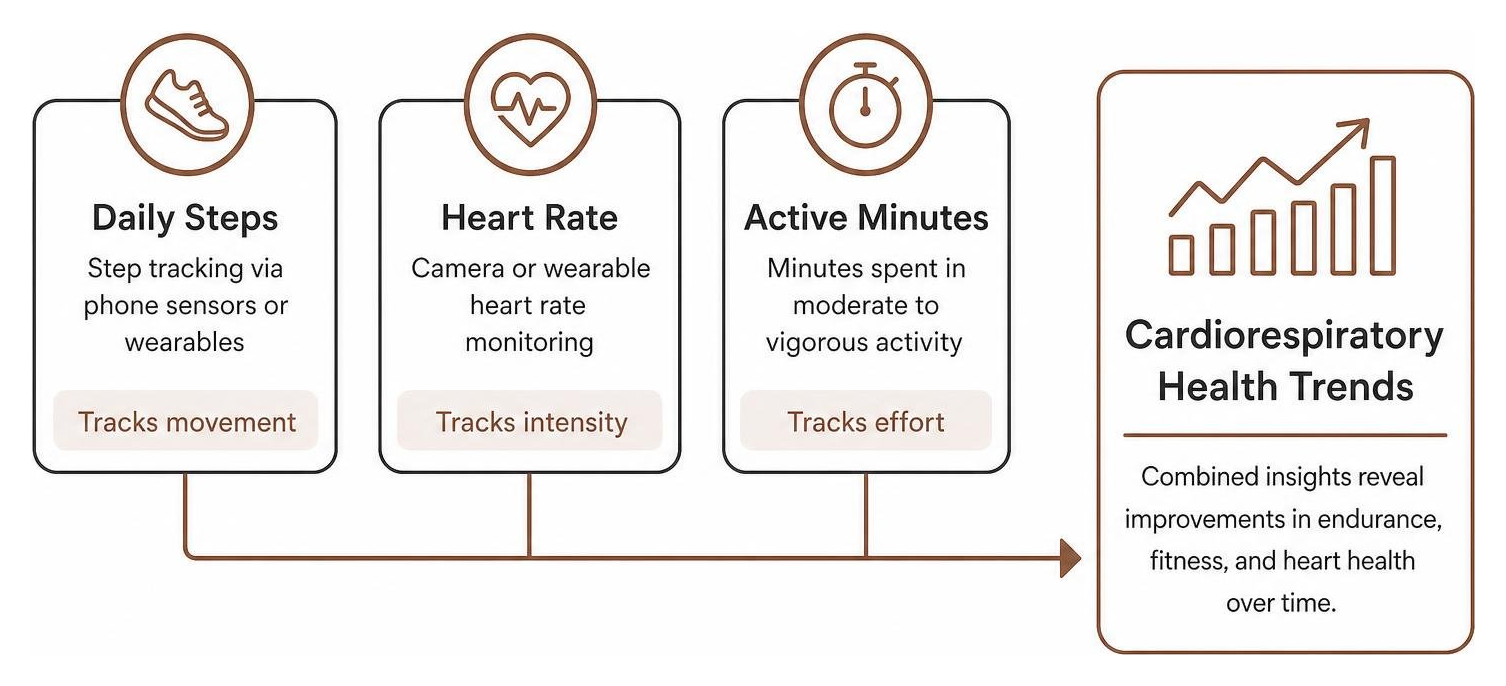
Both the World Health Organization (WHO) and the American Heart Association (AHA) emphasize that moderate cardiovascular exercise significantly lowers long-term health risks. It takes just 30 minutes of brisk walking five days a week to reach recommended guidelines shown to improve cardiorespiratory health, enhance sleep quality, and boost mental wellbeing.
To measure this effectively, an app must accurately track:
- Step Counts: Baseline ambient physical movement gathered via your phone's internal accelerometer or connected hardware.
- Resting and Active Heart Rate: Essential for gauging cardiovascular strain, recovery, and overall intensity during workouts.
- Active Minutes: Measuring time spent in elevated cardiac zones rather than treating a slow stroll and a sprint as equivalent movement.
Beyond standard automated metrics, flexibility is key. Look for solutions that let you Track Anything—such as water intake, energy levels, or custom wellness markers—so your health overview isn't limited strictly to step counts.
Wearable Device Syncing and Ecosystem Compatibility
While modern Android smartphones feature advanced motion sensors, wearing dedicated hardware dramatically improves metric fidelity. Dedicated wristwear provides continuous optical heart rate readings and accurate sleep phase tracking that a phone tucked inside a pocket simply cannot replicate.
When evaluating software ecosystem compatibility:
- Wear OS Integration: Look for native Wear OS support, including quick-launch watch tiles and real-time screen syncing during workouts.
- Hardware Sensor Support: Ensure the software reads data cleanly from external Bluetooth chest straps or third-party wrist trackers.
- Data Aggregation: The application should aggregate hardware metrics reliably without duplicating steps or dropping workout sessions during background syncs.
Comparing Native Ecosystem Apps and Specialized Software
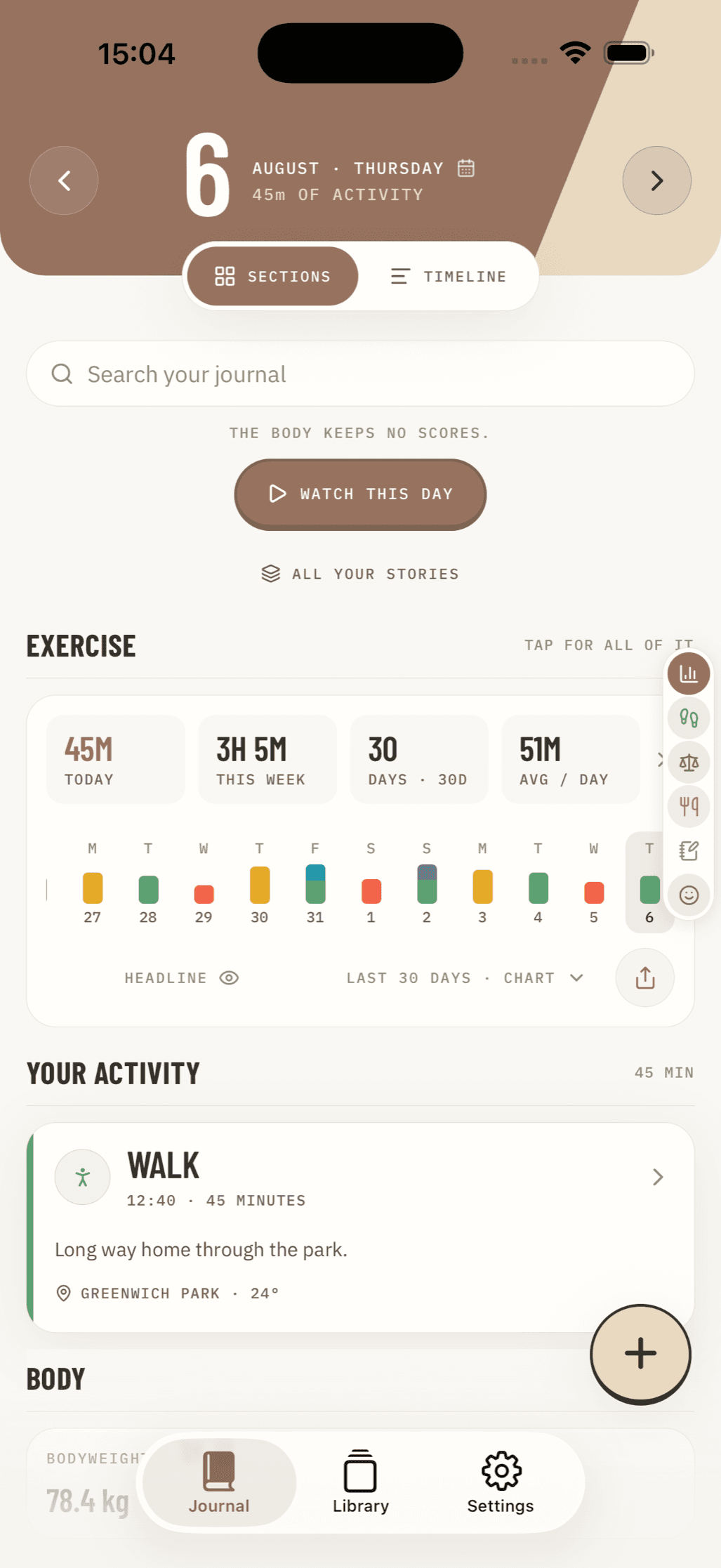
When selecting the best health tracker app for android, users face a choice: rely on native built-in activity platforms or install specialized third-party software.
Native apps come pre-installed or tightly linked to the operating system, offering immediate setup. Specialized apps, on the other hand, focus on specific areas like strength programming, deep meal logging, or offline privacy.
Evaluating Native Options and Activity Goals
Native Android solutions excel at passive, background tracking. Built-in activity platforms leverage integrated phone sensors to detect whether you are walking, running, or cycling without requiring manual activation.
A major advantage of native solutions is standardized activity scoring. For example, systems built around Heart Points align directly with AHA and WHO recommendations:
- 1 Heart Point earned per minute of moderately intense activity (e.g., picking up the pace while walking the dog).
- 2 Heart Points earned per minute of vigorous activity (e.g., running or intense cycling).
Furthermore, native apps sometimes use innovative hardware tricks. On select Android phones, camera-based sensors can estimate resting heart rate and respiratory rate through subtle color changes in your fingertip, providing basic health checks without external hardware.
Common Limitations and Real-World User Complaints
Despite massive adoption—such as native tools accumulating over 100 million downloads—user reviews reveal recurring real-world frustrations. Looking at store ratings (where default tools often hover around a 3.4 to 3.7-star rating out of hundreds of thousands of reviews) highlights several common pitfalls:
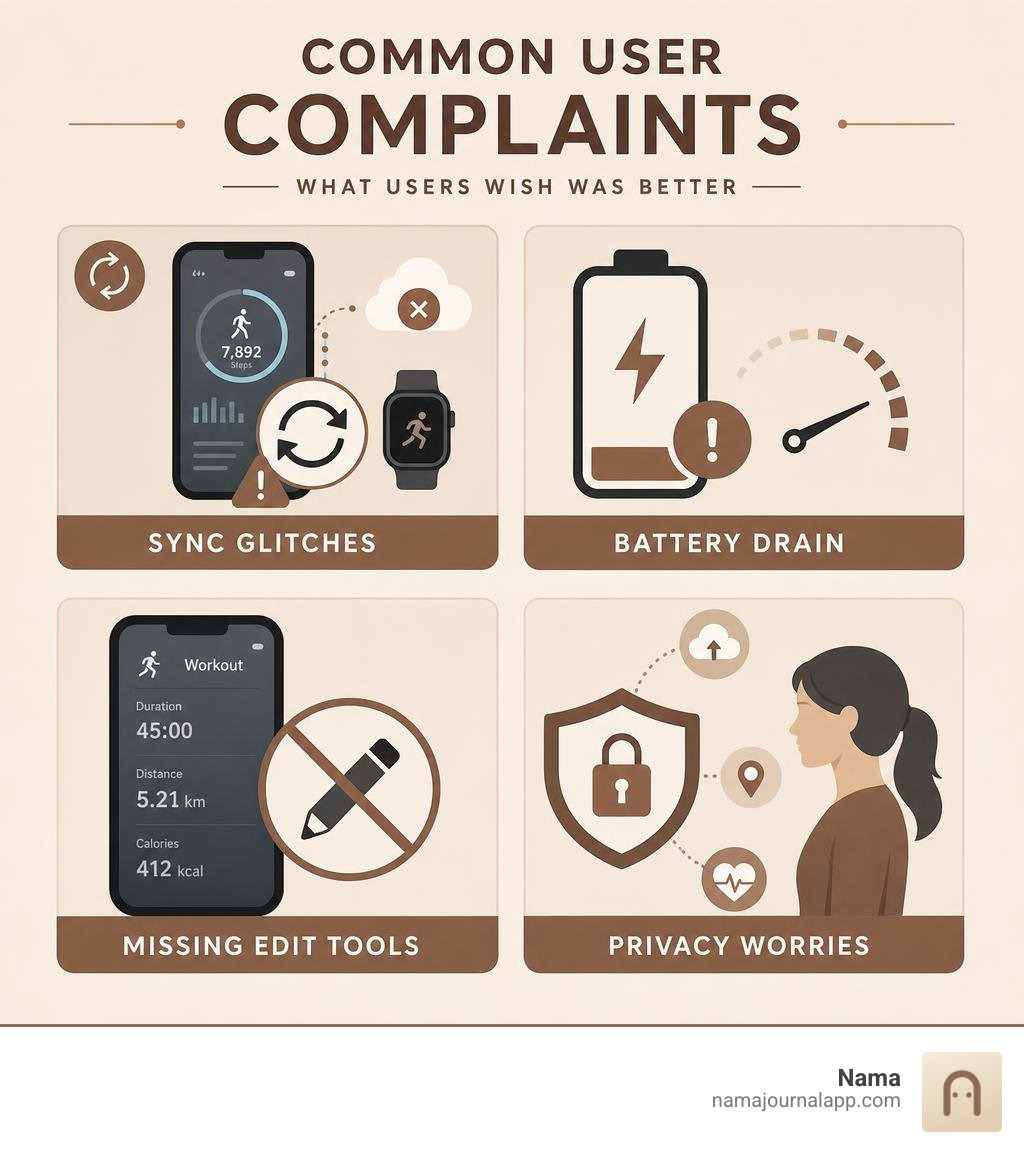
- Sync Glitches: Background syncing between third-party apps frequently breaks, resulting in lost steps or double-counted workouts.
- Lack of Manual Editing: Forgetting to turn off a workout tracker can ruin weekly averages because many basic apps lack precise editing tools for duration or start time.
- Battery Consumption: Continuous background location and auto-activity detection can draw noticeable battery power on older Android hardware.
- Privacy and Data Monetization: Cloud-centric health suites often require account creation, uploading your private fitness habits, location history, and biometric data to remote servers.
Selecting the Ideal Tracker for Your Specific Goals
Different fitness objectives require specialized tools. A powerlifter needs a completely different set of features than a marathon runner or someone tracking caloric balance.
Finding the Best Health Tracker App for Android for Strength and Running
Cardio and strength training require entirely different tracking structures:
When evaluating cardio features, test running accuracy against a calibrated treadmill or known track distance to confirm baseline GPS reliability. Dedicated running software should provide clear lap splits and elevation stats without locking basic metrics behind a paywall.
For strength training, look for dedicated progress tracking. Progression relies on tracking sets, reps, load, and rest periods over time. A robust Exercise Log allows you to log weightlifting routines, review historical resistance levels, and ensure you are achieving progressive overload week after week.
How to Spot the Best Health Tracker App for Android for Nutrition and Calorie Logging
Physical activity is only half the fitness equation; nutrition plays a massive role in weight management and performance.
When evaluating nutrition platforms:
- Look for comprehensive nutritional databases that allow quick logging of total calories, macro splits (carbohydrates, proteins, fats), and micro-nutrients.
- Ensure the app offers flexible manual logging options rather than forcing you to rely solely on automated barcode scanners, which frequently hide behind subscription paywalls.
A dedicated Food Diary helps maintain energy balance by keeping intake aligned with daily active burned calories. For a deeper breakdown of tracking methods, read our complete guide on the Best App for Measuring Calories.
Free vs. Paid Subscriptions: What Adds Real Value?
The digital health market is saturated with tiered pricing models, ranging from completely free ad-supported utility apps to premium subscriptions costing up to $99.99 per year or $19.99 per month.
| Feature Category | Free Tier Capabilities | Paid Subscription Tiers |
|---|---|---|
| Activity Tracking | Basic step counting, total active time, manual workout entry. | Advanced auto-workout detection, live cardiac zone coaching. |
| Nutritional Logging | Simple caloric entry, standard macronutrient totals. | Barcode scanning, customized meal plans, micro-nutrient breakdowns. |
| Analytics & Trends | 7-day or 30-day movement history summary. | Multi-year trends, predictive strength algorithms, sleep readiness scores. |
| Data Privacy & Ownership | Data often stored in the cloud; accounts required; potential ad targeting. | Standard cloud sync; rarely changes core privacy policies. |
| Guidance & Coaching | Unguided logging; self-directed goal setting. | Gated video libraries, personal trainer AI bots, structured programs. |
Paid subscriptions add value if you need guided video coaching or automated AI workout generation. However, if your goal is simple, reliable tracking without monthly fees, paying a recurring subscription just to access your own data is rarely worth it.
Furthermore, subscription-based cloud services usually process your personal information on external servers. For users who prioritize complete data ownership, platforms prioritizing Private by Design principles keep data on local device storage, completely independent of external accounts, cloud server outages, or corporate subscription models.
Frequently Asked Questions
How do health apps accurately track heart rate without a smartwatch?
Select Android applications can measure heart rate using your smartphone's camera and flash module. By placing your index finger firmly over the rear camera lens, the app detects subtle, microscopic micro-vascular color changes in your skin as your heart pumps blood.
While photoplethysmography (PPG) using a camera is surprisingly accurate for resting heart rate and respiratory rate checks while sitting still, it cannot replace a wrist wearable or continuous chest strap during active, high-movement exercise.
Why do health apps sometimes fail to sync step counts properly?
Sync failures on Android usually come down to three issues:
- Aggressive Battery Optimization: Android OS frequently puts background apps to sleep to conserve battery life, cutting off continuous step sync. Disabling battery optimization for your primary health app solves this.
- Conflicting Sensor Permissions: If multiple apps compete for real-time accelerometer access, data sync discrepancies occur.
- API Integration Glitches: Cloud-to-cloud integrations between distinct platforms often experience rate limits or outdated authentication tokens, causing multi-hour syncing delays.
How much physical activity is needed weekly for cardiorespiratory health?
According to guidelines from the World Health Organization and the American Heart Association:
- Adults should aim for at least 150 minutes of moderate-intensity aerobic physical activity per week (such as brisk walking, casual cycling, or active yard work).
- Alternatively, you can complete 75 minutes of vigorous-intensity physical activity (such as running, lap swimming, or high-intensity interval training) per week.
- Breaking this down into simple daily habits means completing just 30 minutes of brisk walking 5 days a week is enough to deliver proven cardiovascular and mental health benefits.
Conclusion
Finding the best health tracker app for android comes down to cutting through marketing hype and selecting a tool that aligns with your specific routines, budget, and privacy standards. Whether you rely on ecosystem-native step tracking, structured strength logging, or deep macro logging, your health software should simplify your life—not distract you with constant notifications, paywalls, or buggy background syncs.
If you value complete privacy, zero account requirements, and absolute ownership over your wellness records, consider expanding your tracking toolkit. While standard Android apps focus on cloud-connected background metrics, maintaining a private personal journal gives you full control over your health story.
Explore the Nama Wellness Journal to learn how offline-first, private design allows you to track exercises, daily meals, notes, and personal health metrics completely on your own terms.