Streamline Your Routine with an Android Health Tracker App
Find a Daily Health Tracker App for Android That Fits Your Routine
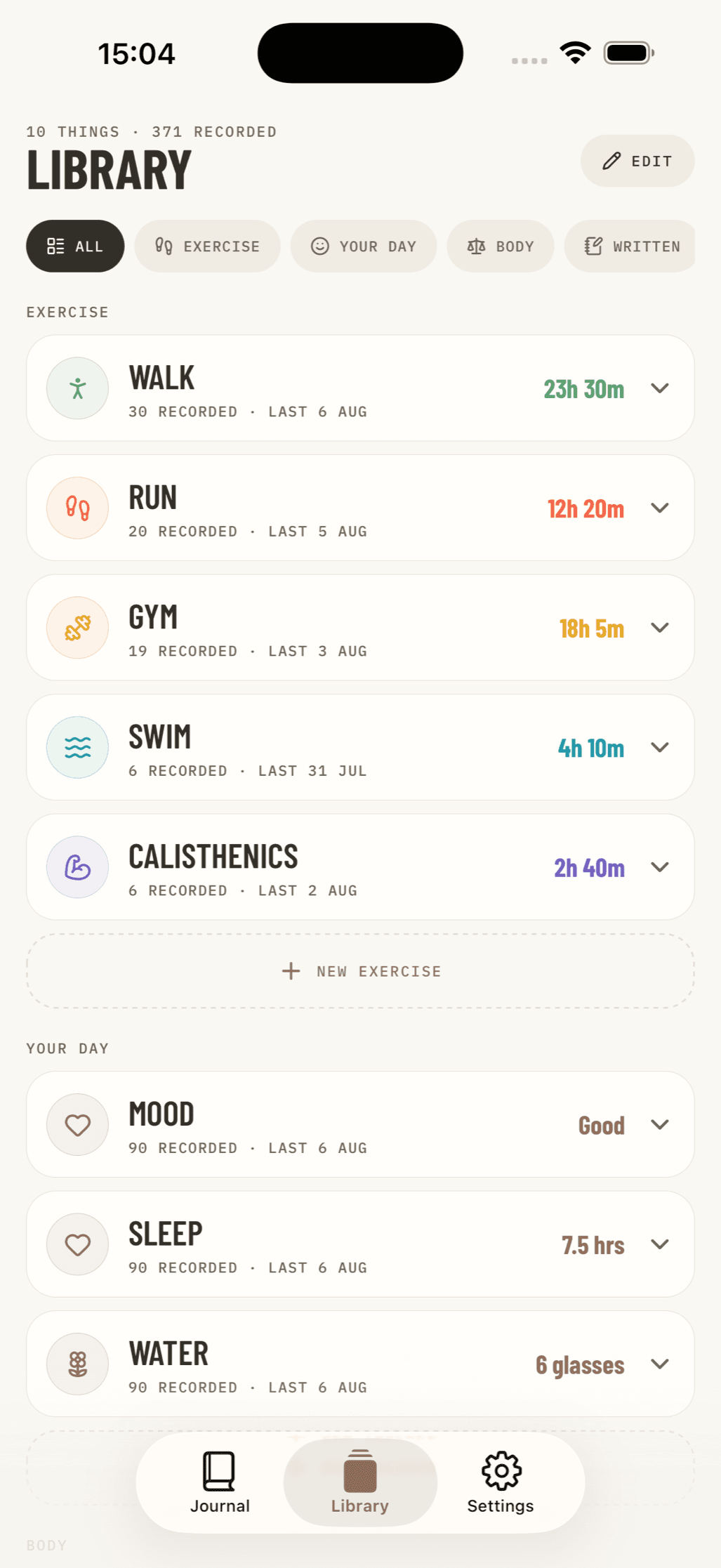
A daily health tracker app for android can help you keep exercise, meals, sleep, mood, hydration, and health readings in one routine-friendly place. The best choice depends on what you want to track and how private you need that information to be.
| If your priority is... | Look for an app with... |
|---|---|
| Everyday wellness | Exercise, food, water, sleep, and mood logs |
| Fitness progress | Step counts, workout tracking, and activity-intensity goals |
| Health readings | Manual blood pressure, glucose, weight, and symptom entries |
| Privacy and focus | Offline or local storage, no ads, and no social feed |
| Long-term patterns | Simple charts, notes, and exportable records |
Some Android health apps are built around connected watches, activity targets, and automated coaching. Others focus on logging daily readings and habits. Camera-based pulse tools can offer a general reference point, but they are not a replacement for medical equipment or professional care.
For many people, the most useful tracker is not the one with the most sensors or alerts. It is the one they can use every day without ads, pressure to share, or uncertainty about where personal health data goes.
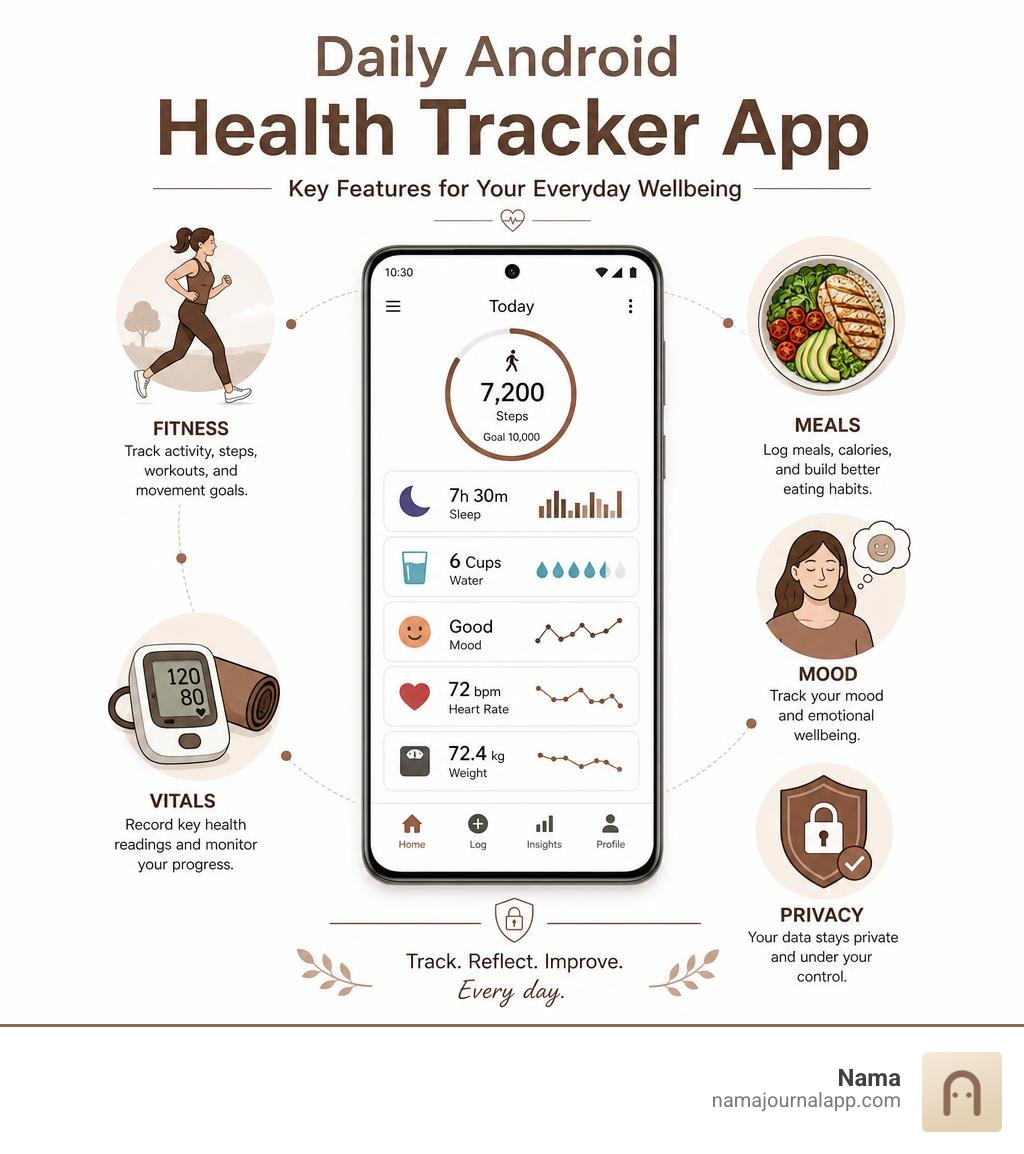
How to Choose the Best Daily Health Tracker App for Android
Finding the right daily health tracker app for android requires balancing your unique personal goals with the right software design. With thousands of wellness apps available on the Google Play Store, choosing the right tool comes down to understanding how you prefer to input data, what features you rely on, and how much control you want over your personal information.
Broadly speaking, Android health applications fall into two main categories: integrated health ecosystems and specialized logging utilities. Integrated ecosystems are designed to run quietly in the background. They auto-collect sensor data from your smartphone's accelerometer or synced wearables to calculate steps, active minutes, and estimated calorie burn. On the other hand, specialized logging utilities rely on active manual entry, allowing you to log specific health variables like blood pressure, blood glucose, water intake, or custom symptom notes.
When evaluating an app, consider whether you prefer automated background monitoring or intentional, hands-on logging. If you are training for a event or monitoring physical movement, automated steps and cardio tracking might be top priorities. However, if you are managing a chronic condition, working through dietary adjustments, or building daily wellness habits, manual logging features will likely offer far greater value.
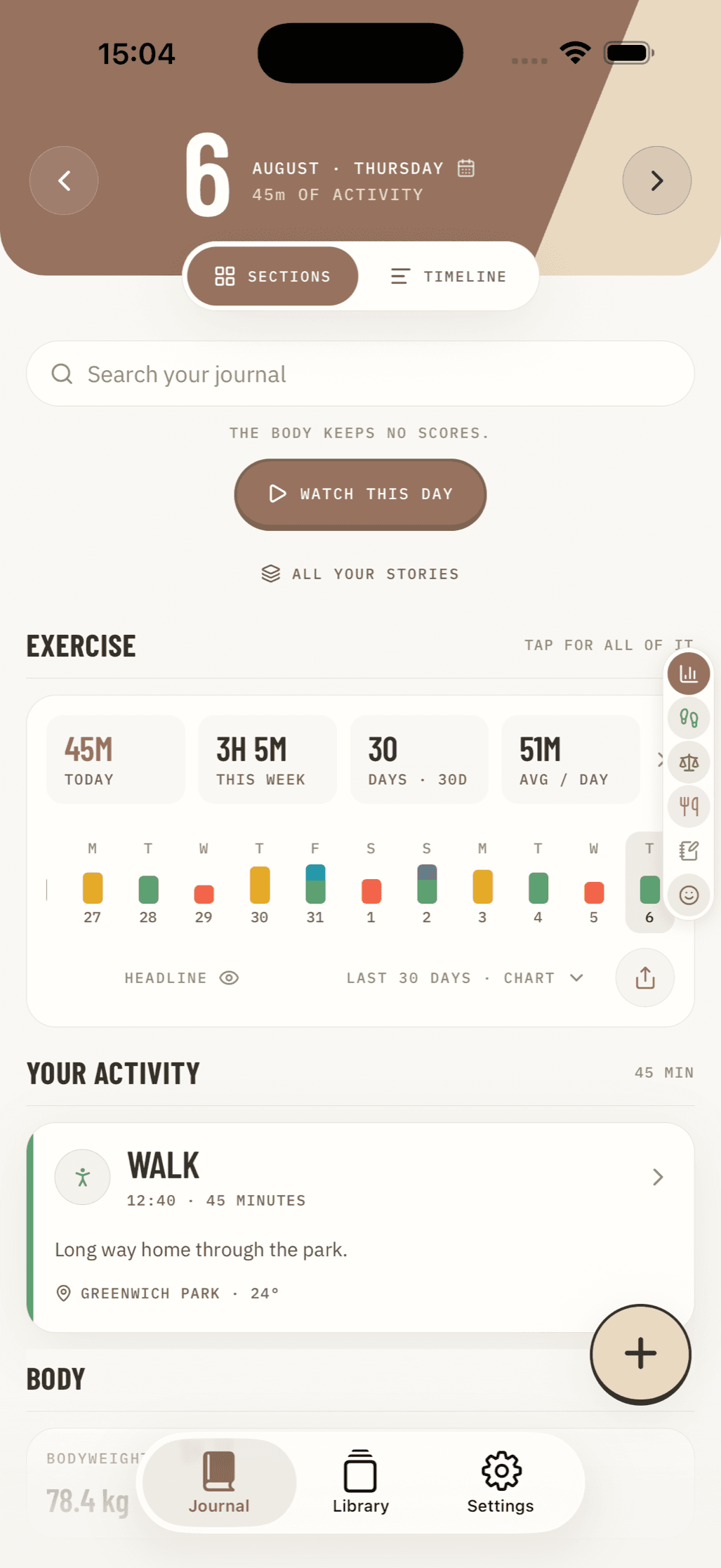
Core Features to Look for in a Daily Health Tracker App for Android
A balanced health tracking setup should accommodate both automated fitness metrics and mindful daily entry. When selecting a daily health tracker app for android, look for core functional modules that keep your routine straightforward:
- Movement and Step Counters: Automated step tracking utilizes your Android device's built-in motion sensors to passively monitor daily activity levels, helping you maintain a baseline level of movement.
- Hydration Reminders: Simple logging tools with automated or customizable notifications ensure you hit daily water intake targets.
- Dedicated Movement Logging: Having a structured Exercise Log lets you track distinct workouts, strength sessions, cardio routines, and duration beyond baseline steps.
- Nutrition Tracking: Using a dedicated Food Diary helps you record daily meals, monitor macro balances, and understand your nutritional patterns over time. If weight management is your target, pairing a food journal with the Best App for Measuring Calories provides clearer energy balance insights.
- Sleep and Rest Quality Monitoring: Sleep logs help you evaluate nightly sleep duration, daytime naps, and overall sleep quality to determine how rest impacts your energy and recovery.
Activity Metrics, Cardio Intensity, and AHA Standards
Beyond counting daily steps, evaluating cardio intensity is essential for long-term cardiovascular health and mental well-being. Modern health platforms utilize scoring frameworks aligned with established medical guidelines, such as those set by the American Heart Association (AHA).
The AHA recommends that adults aim for at least 150 minutes of moderate-intensity aerobic physical activity or 75 minutes of vigorous physical activity per week. In popular tracking systems, these guidelines are gamified to encourage heart-pumping activity:
- Moderate Intensity: 1 minute of moderate activity (such as picking up the pace while walking your dog) earns 1 point.
- Vigorous Intensity: 1 minute of intense activity (such as running, cycling, or high-intensity interval training) earns 2 points.
Reaching a goal of 30 minutes of brisk walking five days a week hits the AHA’s baseline physical activity goal. Studies show that achieving this level of regular activity significantly reduces the risk of cardiovascular disease, improves sleep quality, boosts cognitive function, and enhances mental well-being. Tracking cardio intensity rather than raw step totals gives you a far more accurate representation of how physical exercise improves your health.
Clinical Vitals vs General Fitness Tracking
When choosing a daily health tracker app for android, it is vital to distinguish between general fitness tracking and clinical vitals monitoring. General fitness tracking emphasizes physical activity—such as step counts, active burn, distance traveled, and workout logs. These metrics provide a macro-level view of your daily energy expenditure and movement habits.
In contrast, clinical vitals monitoring involves tracking critical biological indicators like blood pressure, blood glucose levels, resting heart rate, and body temperature. While fitness tracking encourages active lifestyle habits, vitals monitoring helps manage chronic health conditions, evaluate medical treatments, or flag physical strain.
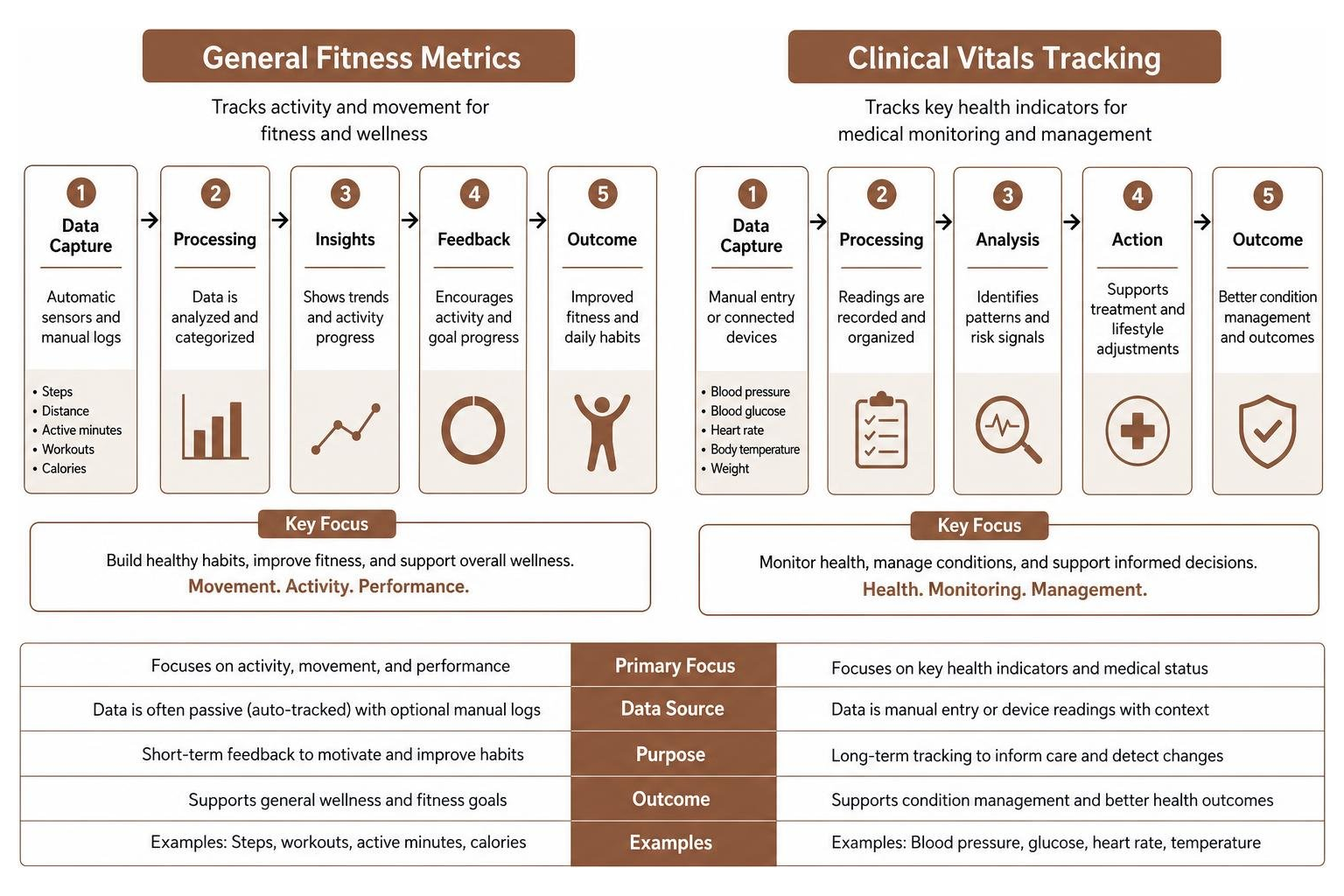
Clinical Vitals vs Fitness Tracking in Your Daily Health Tracker App for Android
For individuals managing hypertension, type 2 diabetes, or metabolic conditions, active vitals logging takes priority over passive step counting. Dedicated blood pressure and glucose tracking applications allow users to record numerical readings alongside the exact time of day, meal state (e.g., fasting vs. post-prandial), and current medication dosage.
Key functional differences include:
- Manual Input Precision: Tracking clinical numbers requires high accuracy. While fitness apps rely on continuous automated sensor sweeps, vitals apps demand clean, precise manual entry fields where you can enter exact systolic/diastolic numbers or glucose mg/dL values.
- Physician-Ready Export Reports: Managing a clinical condition requires sharing organized data with healthcare professionals. Superior clinical tracking apps allow users to generate structured PDF or CSV summaries showing multi-week averages, trend charts, and acute spikes.
- Flexible Metric Customization: Clinical needs vary wildly from person to person. Utilizing tools that let you Track Anything gives you the flexibility to log custom wellness markers, such as daily symptom intensity, medication adherence, joint pain ratings, or blood oxygen saturation alongside your standard fitness logs.
Camera PPG Heart Rate Monitoring and Medical Reliability
A growing number of specialized Android health trackers claim to measure heart rate and Heart Rate Variability (HRV) directly through your smartphone's camera using Photoplethysmography (PPG) technology.
PPG works by using the smartphone's LED camera flash to illuminate the microvascular tissue inside your fingertip. As your heart beats, blood volume in the fingertip fluctuates, altering the amount of light absorbed and reflected back to the camera sensor. Algorithms analyze these light variations to calculate your pulse and estimate HRV stress scores.
While PPG technology is backed by real optical science, smartphone camera implementations come with significant caveats:
- Lack of Medical Certification: Camera-based health apps explicitly state in their developer disclaimers that they are not certified medical devices. They are designed exclusively for general wellness reference and stress self-monitoring.
- Environmental Sensitivity: Ambient lighting, finger pressure against the lens, calloused skin, and movement can skew readings, causing false spikes or drops.
- Hardware Thermal Issues: Keeping the smartphone camera flash continuously illuminated on max brightness during a 60-second HRV scan can generate substantial device heat, potentially causing thermal throttling or discomfort on older Android handsets.
For diagnostic decisions, blood pressure management, or arrhythmia detection, always rely on validated, dedicated medical equipment (such as an upper-arm cuff or clinical ECG monitor) rather than mobile optical estimates.
AI Coaching, Wearable Syncing, and Long-Term Insights
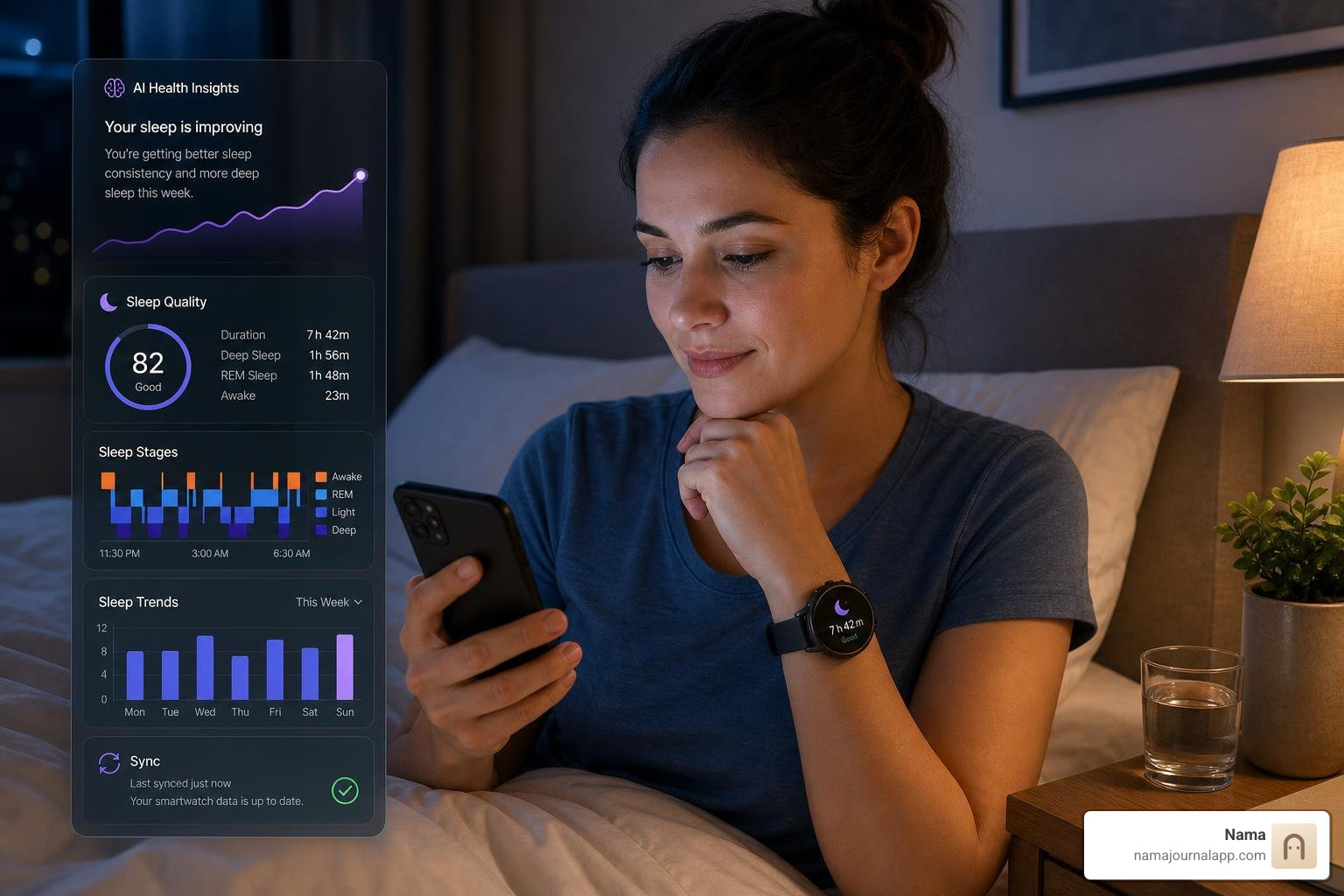
As mobile technology advances, the modern daily health tracker app for android is moving beyond simple data logging toward predictive guidance and deep data consolidation. Powered by modern machine learning and direct sensor links, modern health platforms analyze long-term health trends to deliver actionable habit feedback.
AI-Powered Guidance and Syncing Ecosystems
The integration of artificial intelligence into Android health environments has transformed raw data into personalized health coaching. Integrated tools utilizing advanced AI models can synthesize multiple data streams simultaneously.
Rather than merely displaying isolated numbers, AI-driven platforms examine how your nightly sleep duration, activity intensity, and meal logging interrelate:
- Holistic Sleep and Recovery: Advanced tracking platforms now evaluate 24-hour rest patterns, factoring daytime naps into total sleep volume to calculate true sleep restoration.
- Personalized Training Plans: AI health coaches examine your historical heart rate data and workout volume to suggest real-time adjustments for strength sessions or cardio runs.
- Ecosystem Compatibility: Android platforms link seamlessly with smartwatches, Bluetooth scales, and external fitness gear. By leveraging central data bridges like Health Connect, you can aggregate data from multiple third-party sensors into a single unified health dashboard.
To learn more about physical activity standards and health benchmarks, you can explore guidelines provided by the American Heart Association.
Feature Comparison Across Wellness Platforms
To help you choose the right architecture for your daily routine, the table below highlights how integrated health ecosystems compare against specialized logging and privacy-focused wellness journals.
| Feature / Dimension | Integrated Health Ecosystems | Specialized Free Vitals Trackers | Local Privacy Wellness Journals |
|---|---|---|---|
| Primary Focus | Passive movement, workout goals, AI coaching | Manual blood pressure & glucose logging | Private holistic tracking, habits & custom metrics |
| Data Collection | Automatic background sensors & wearables | Manual entry + Camera PPG optical scans | 100% manual, intentional user input |
| Ad Model | Ad-free (freemium / hardware subscription) | Heavy pop-up ads & monetization banners | Zero ads, no ad-network tracking |
| Data Privacy | Cloud storage, account sync, AI processing | Third-party ad network data sharing | Local device storage, no account required |
| Customization | Standardized fitness & rest parameters | Fixed vital sign fields & sliders | Complete metric flexibility & custom text logs |
| Offline Access | Partial (requires cloud sync for AI features) | Varies (often requires network for ads) | Fully functional 100% offline |
Privacy, Ad-Supported Models, and Data Security
While feature-packed health apps offer great convenience, data privacy remains a critical consideration when selecting a daily health tracker app for android. Personal health metrics—ranging from body weight and blood pressure readings to heart rate trends and sleep patterns—represent some of your most sensitive personal information.
Many popular free health utilities on the Google Play Store fund their operations through ad networks and behavioral tracking. The trade-offs of using ad-supported free trackers include:
- Intrusive Pop-Up Advertisements: Free vitals loggers frequently display full-screen pop-up ads between screens, disrupting your routine when trying to quickly enter medical readings.
- Frustrating UI Controls: Many free utility apps utilize imprecise UI sliders for data entry, making it frustrating to select precise blood glucose levels or heart rate integers without accidental taps on ad banners.
- Third-Party Data Sharing: Ad-supported platforms often collect app activity data, device IDs, and coarse location info to serve targeted ads. Over time, your sensitive wellness habits may be profiled across advertising networks.
For users who prioritize complete data security, choosing platforms designed with a Private by Design philosophy eliminates these risks entirely. Keeping your health logs locally on your hardware ensures that no third party, server, or advertiser ever gains access to your personal life.
Frequently Asked Questions
Can a smartphone app replace medical devices for blood pressure and pulse?
No. A smartphone app cannot replace certified medical equipment. While camera-based PPG technology can estimate pulse rate and stress markers by detecting optical blood volume variations in your fingertip, these optical measurements are susceptible to movement artifacts, lighting interference, and device heating. Furthermore, smartphone apps cannot measure blood pressure directly without an inflatable arterial cuff. Always rely on validated, medically certified devices for diagnostic blood pressure and pulse readings.
How do activity intensity goals translate to daily fitness targets?
Activity intensity goals translate physical movement into health-focused credit based on physical strain rather than simple step counts. Under guidelines established by the American Heart Association (AHA):
- Moderate Intensity: Activities like brisk walking (around 3 mph) earn 1 cardio point per minute.
- Vigorous Intensity: High-effort activities like running, swimming, or fast cycling earn 2 cardio points per minute.
Hitting 30 minutes of brisk walking five days a week satisfies the recommended 150-minute weekly baseline, significantly boosting cardiovascular health, metabolic rate, and mental wellbeing.
What are the main downsides of free health tracking apps?
The main downsides of free health tracking utilities revolve around user experience and data security:
- Aggressive Ad Monetization: Frequent video pop-ups and full-screen banner ads can interrupt daily logging.
- Imprecise Interface Controls: Relying on sliders or poorly designed input wheels makes entering exact numeric health readings difficult.
- Privacy Risks: Free ad-supported apps often transmit app usage patterns and diagnostic metadata to third-party ad networks for profiling.
Conclusion
Finding the ideal daily health tracker app for android comes down to matching software functionality with your personal lifestyle and privacy expectations. Whether you prefer an automated ecosystem with AI-driven training insights, a dedicated blood pressure logger, or a hands-on daily journal, consistency is the key to achieving long-term wellness goals.
For users seeking a clean, distraction-free logging experience without advertising pop-ups or privacy concerns, private offline journaling offers a powerful alternative. If you use iOS alongside your mobile setup or prefer a private local-first tracking design, you can explore comprehensive logging tools through Nama Features.
Take control of your daily habits, monitor what matters most to your body, and build a healthy routine tailored directly to your personal life. Start tracking your health privately with Nama today.