Top Free Online Workout Tracker Options Tested for Strength and Cardio
Finding the Best Free Online Workout Tracker for Your Training
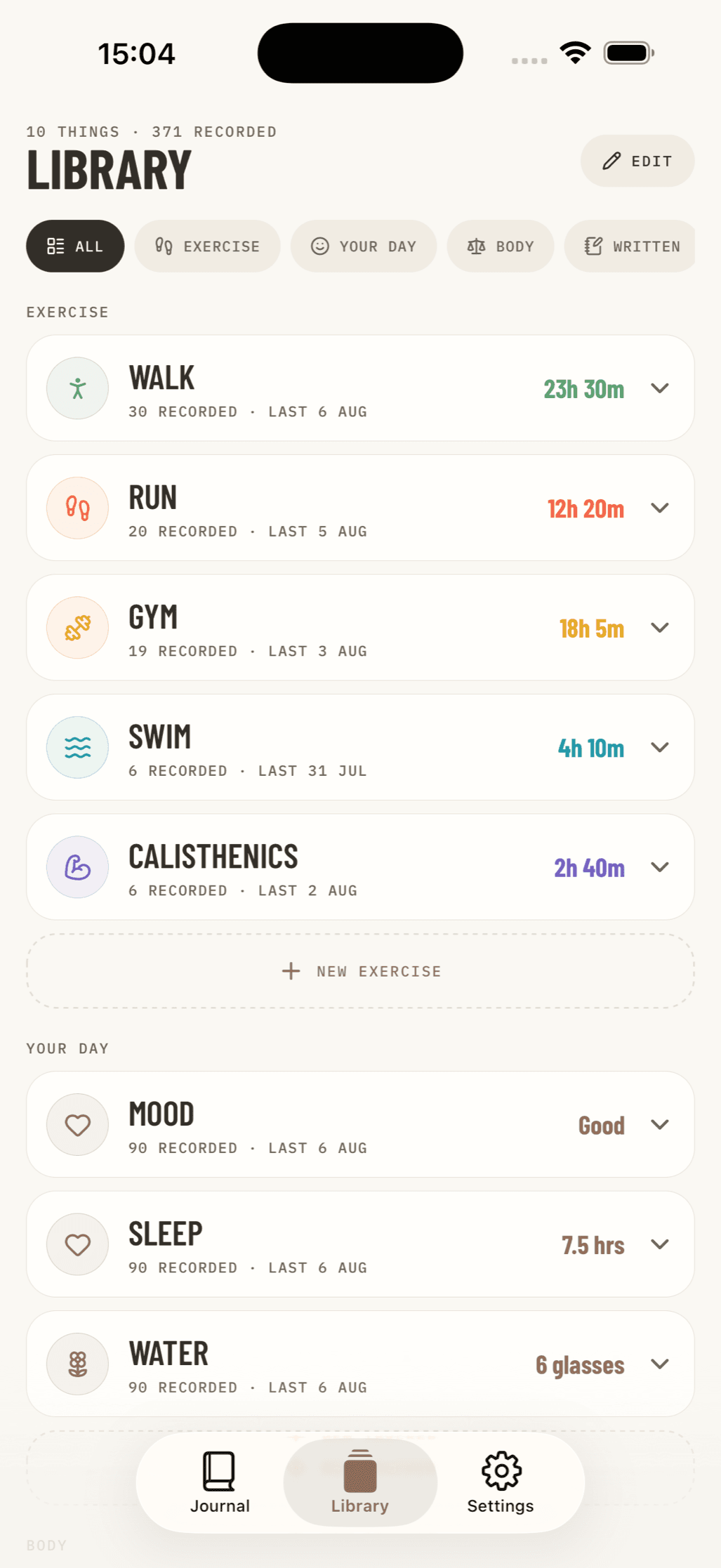
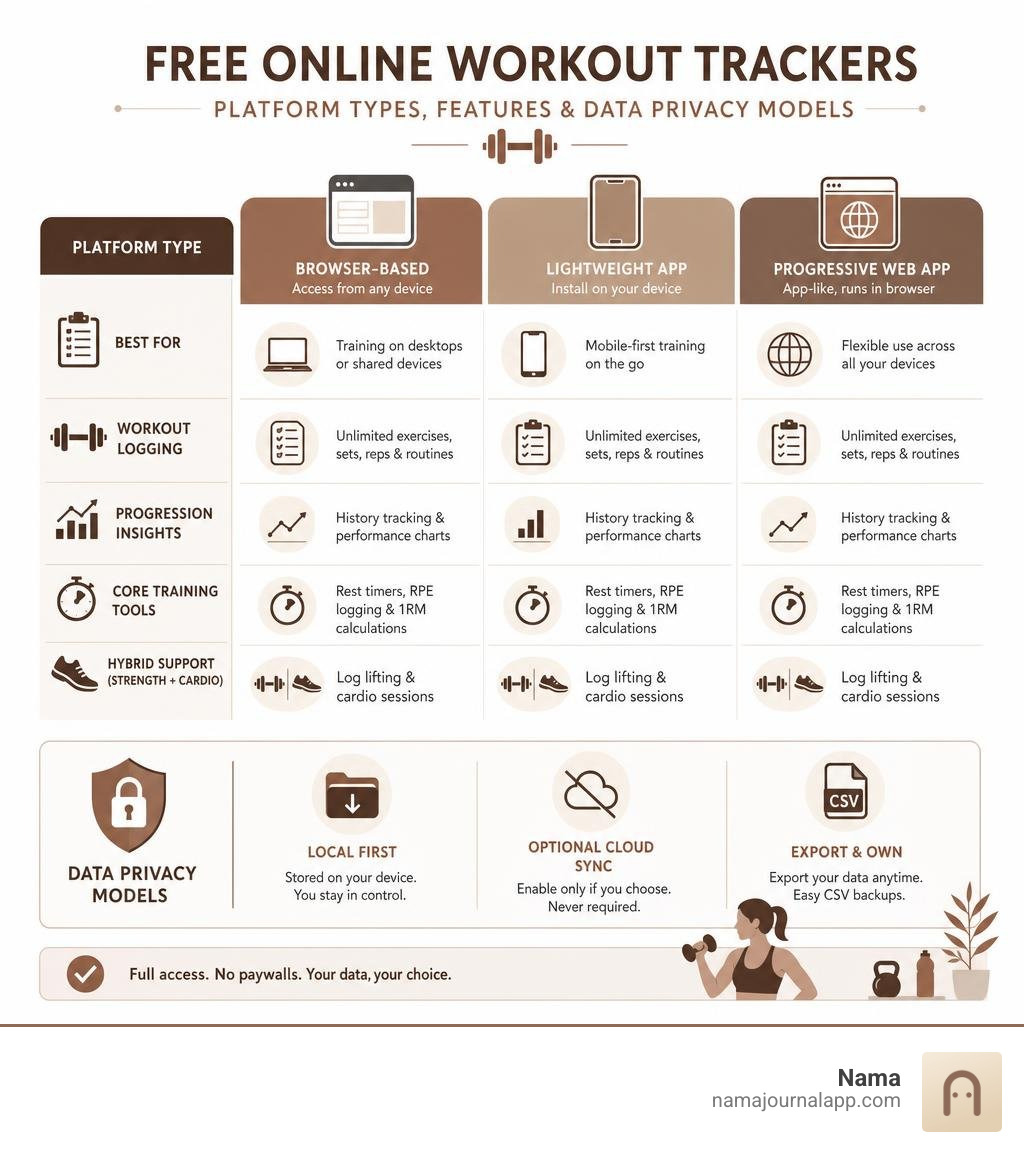
A top free online workout tracker lets you log sets, reps, and cardio miles without hitting paywalls, routine limits, or forced subscriptions. The best free tools range from simple browser-based logs to lightweight apps and progressive web tools that give you full access to your data.
Here is what the best free trackers provide out of the box:
- Uncapped Logging: Unlimited custom exercises, saved routines, and full workout history without paywalls.
- Core Lifting Metrics: Automatic rest timers, RPE (Rate of Perceived Exertion) logging, and estimated 1-rep max (1RM) calculations.
- Hybrid Support: Seamless logging for both resistance training and endurance sessions.
- Data Privacy & Ownership: Easy CSV data exports and local device backups without mandatory cloud accounts.
Many mainstream fitness platforms lock basic features like routine templates or historical charts behind $5 to $13 monthly fees. Others clutter your screen with ads and forced social feeds.
Tracking your strength progression and cardio should be simple, private, and frictionless. Whether you train in a home gym or track sessions on a browser, you can log every workout, monitor progressive overload, and own your fitness data without paying a cent.
Key Features to Demand in a Free Online Workout Tracker
When you evaluate a digital training log, you need tools that actively support progressive overload rather than get in your way. A well-designed logging tool does more than replace a paper notebook—it streamlines your rest times, flags new personal bests, and gives you instant context on what weight you lifted during your last session.
To build long-term momentum in the gym, incorporate our Weekly Exercise Log Tips 2026 to structure your splits effectively. Here are the core capabilities you should insist on:
Essential Metrics: Sets, Reps, RPE, and 1RM Calculations
Strength gains depend on consistent mechanical tension and volume management. A functional tracker must capture more than just flat numbers:
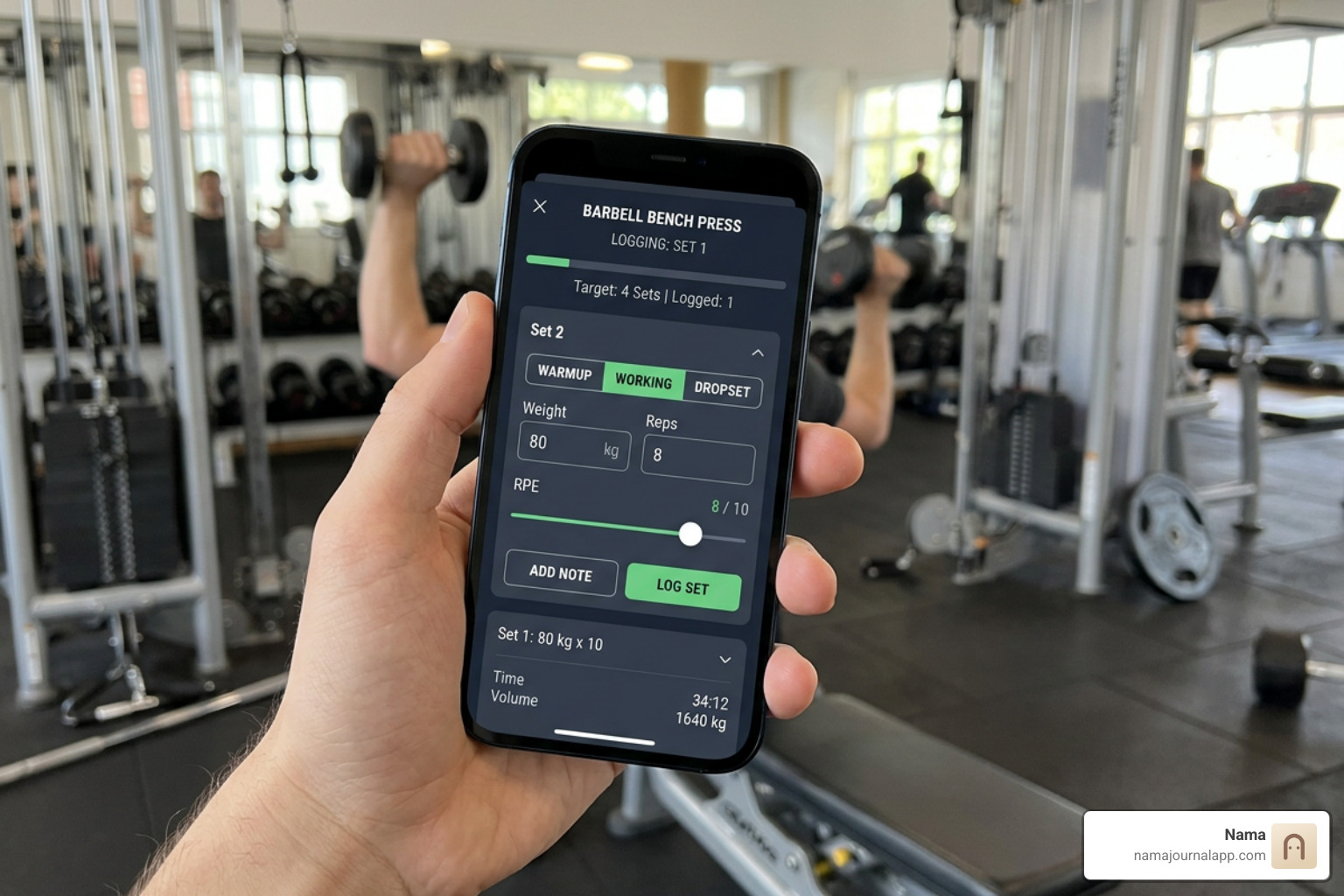
- Set Tagging: Distinguish between warm-up sets, working sets, drop sets, and sets taken to failure. Warm-ups should automatically be excluded from your total volume calculations so your workload stats stay clean.
- RPE and Reps in Reserve (RiR): Rate of Perceived Exertion (1–10 scale) lets you manage fatigue dynamically. If your target is an RPE 8 (2 reps left in the tank), you can adjust loads on days when sleep or recovery is lagging.
- One-Rep Max (1RM) Estimation: Real-time calculations using validated formulas (such as the Epley formula: $\text{Weight} \times (1 + \text{Reps} / 30)$) help you gauge strength increases across rep ranges without requiring dangerous max-out attempts every week.
- Inline Previous Session Metrics: Seeing what you lifted last week right above your input field eliminates guesswork and prevents under- or over-shooting your working weights.
- Real-Time PR Detection: Automatic notifications for rep-specific personal records (like a new 5-rep or 8-rep max) keep motivation high during intense blocks.
Rest Timers, Plate Loaders, and Exercise Libraries
Pacing dictates training density. Your digital tool should include:
- Integrated Rest Timers: Automatic countdown timers that start the moment you check off a set. Look for tools that allow custom rest durations per exercise—a heavy squat requires three minutes, while lateral raises might need only sixty seconds.
- Flexible Exercise Libraries: While a built-in database of 400+ standard movements with muscle group tags is helpful, unlimited custom exercise creation is essential for odd lifts, specialty bars, or unique cable setups.
- Superset & Circuit Grouping: Seamlessly pair opposing muscle groups (like biceps curls and triceps pushdowns) without mangling your routine structure or confusing your rest timer.
Types of Free Workout Tracking Platforms Compared
No two lifters train the same way, and the platform architecture you choose affects everything from how fast you can log a set between breaths to where your biometric data actually lives.
| Tracker Category | Best For | Offline Access | Account Required? | Data Storage Location |
|---|---|---|---|---|
| Browser-Based Tools | Quick desktop logging, zero installation | Limited | No | Local browser cache |
| Progressive Web Apps (PWAs) | Cross-device users wanting lightweight tools | Yes (cached) | Optional | Client storage / Web DB |
| Local-First Mobile Journals | Total privacy, offline gym use, hybrid tracking | Full offline | No | Device hard drive |
| Cloud-Synced Fitness Apps | Community sharing, automated cloud backups | Varies | Yes | Remote servers |
If you are exploring dedicated mobile utilities across platforms, our guide on the Best Health Tracker App for Android breaks down ecosystem-specific performance.
Browser-Based Tools vs. Native Apps: Choosing the Right Free Online Workout Tracker
Browser utilities offer instant accessibility. You open a URL, type in your sets and reps, and get back to lifting—no app store downloads, permissions, or profile setup required.
However, standard browser tools rely on your device's browser cache. If you clear your browser history or cookies, your workout history will vanish unless you manually export a backup file. In contrast, native apps and offline-first mobile journals save data directly to your device storage, ensuring your historical charts survive system cleanups while maintaining lightning-fast startup times in concrete basement gyms with zero cellular reception.
Cloud-Synced Systems vs. Privacy-First Local Logging
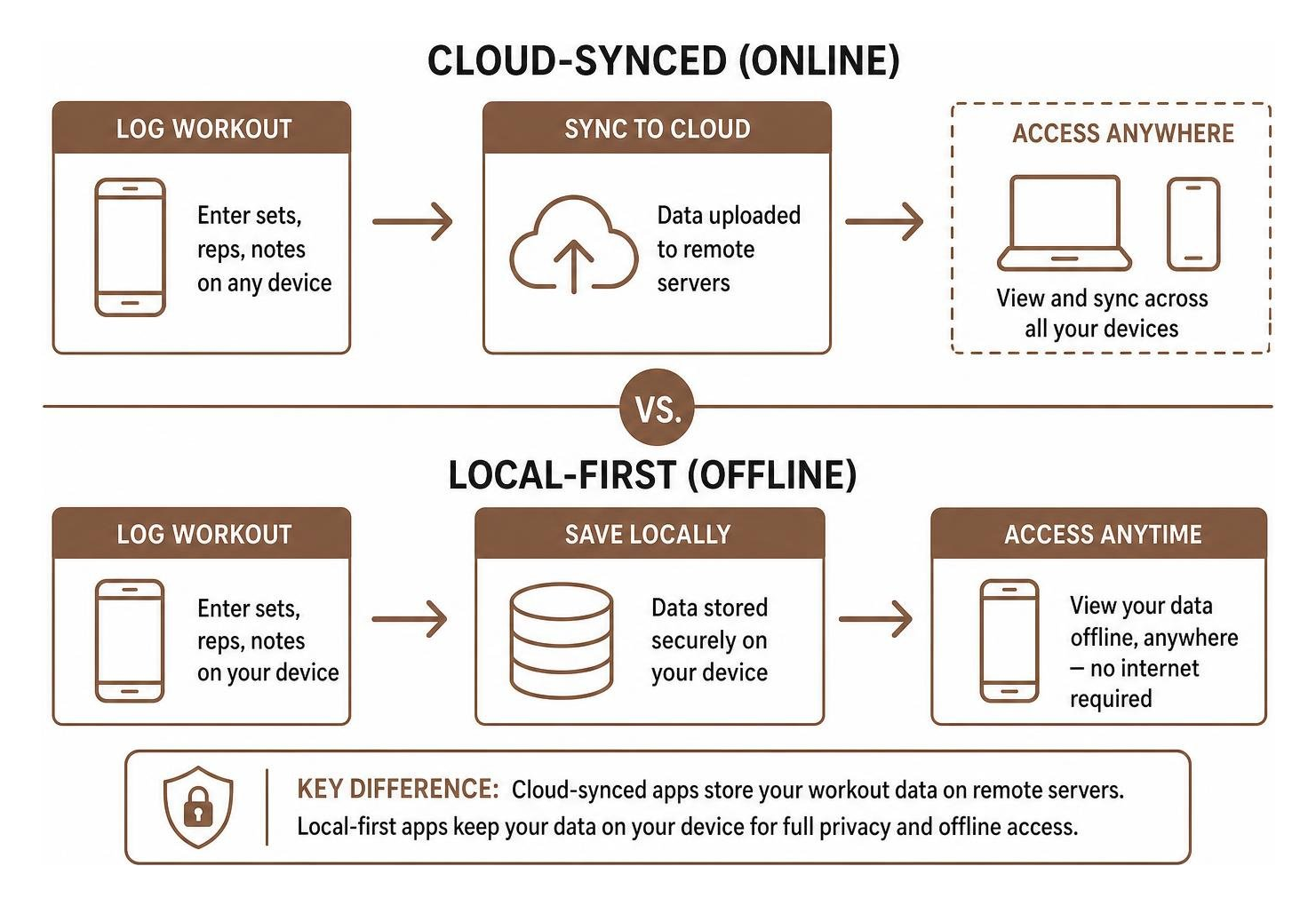
Cloud-synced platforms store your workout logs on remote servers. While this enables easy syncing across desktop browsers and mobile devices, it often comes with trade-offs: mandatory email registrations, potential data breaches, social feeds you might not want, and the ever-present risk that free features will suddenly be locked behind a subscription paywall.
Local-first trackers store your exercise logs, notes, and metrics strictly on your own hardware. You maintain complete data governance without trusting a third party with your personal health trends.
Progressive Web Apps and Cross-Platform Tools
Progressive Web Apps (PWAs) bridge the gap between websites and apps. By tapping "Add to Home Screen" on your mobile browser, you can run a responsive web tool that feels like a native app. PWAs bypass traditional app stores, run in lightweight sandboxes, and allow you to plan your routines on a desktop monitor before taking your phone to the weight room.
Hybrid Training: Logging Strength and Endurance Together
Modern athletes rarely stick to just lifting iron. Whether you are prepping for a Hyrox competition, logging road miles for a half marathon, or mixing kettlebell complexes with cycling, your logging tool must handle concurrent training cleanly.
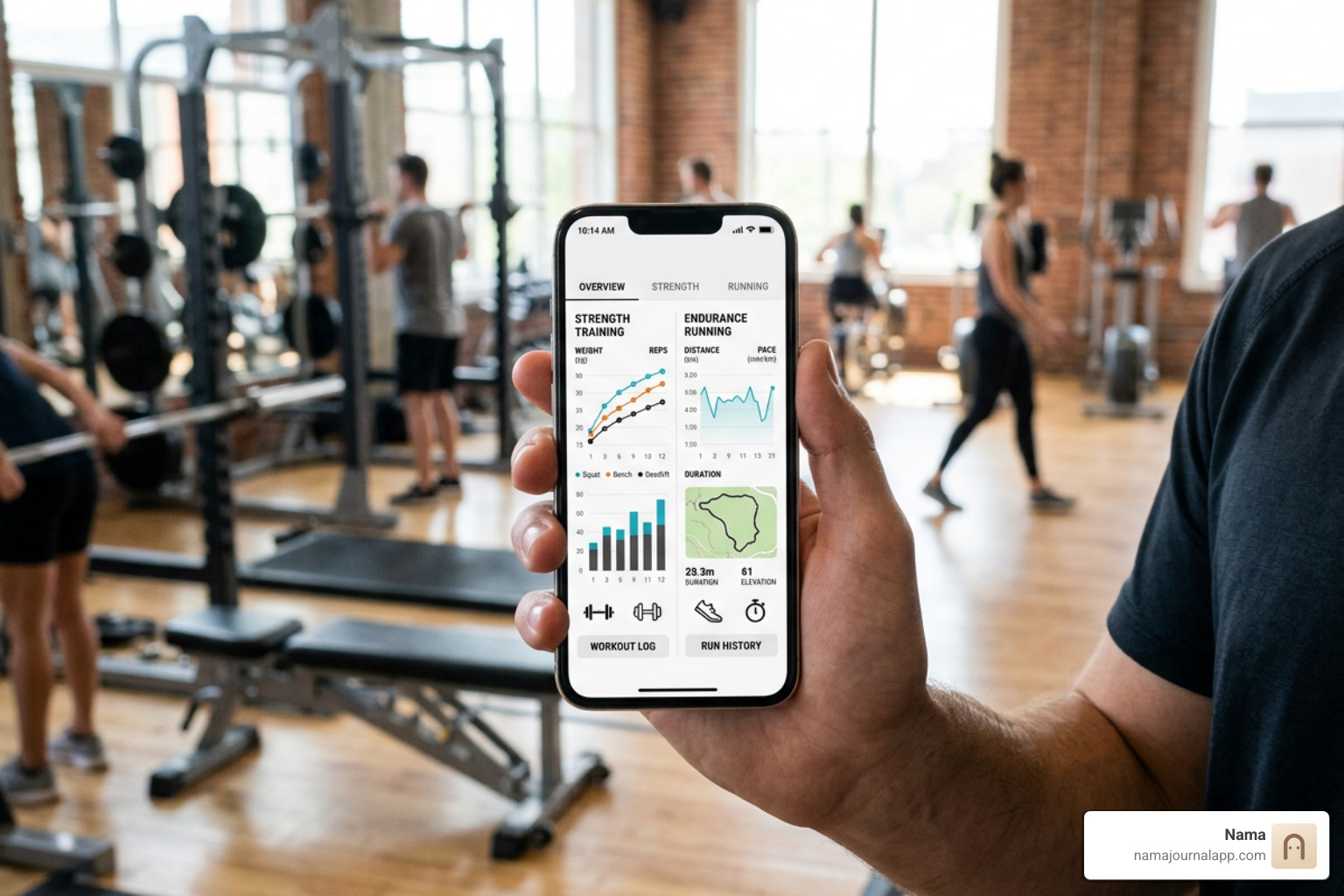
When you need to log resistance training alongside non-lifting habits, you can use our system to track anything that matters to your health routine.
How to Set Up a Hybrid Free Online Workout Tracker for Strength and Cardio
Most basic lifting apps fail when you try to record a 5-mile tempo run because their schemas only recognize "weight" and "reps." A true hybrid setup should track:
- Distance and Pace: Record miles or kilometers alongside split times, average pace, and elevation gain.
- Time-Under-Tension & Holds: Log isometric exercises like planks, dead hangs, and wall sits using dedicated time durations rather than arbitrary rep counts.
- Interval Structures: Track High-Intensity Interval Training (HIIT), EMOMs (Every Minute on the Minute), Tabata rounds, and AMRAPs without distorting your barbell progression metrics.
- Modality Tagging: Keep strength volume, zone 2 cardio, and sprint work organized in distinct categories so your analytics reflect true training distribution.
Managing Volume, Recovery, and Fatigue Across Modalities
Concurrent training requires careful fatigue management to prevent the "interference effect"—where heavy endurance sessions impair strength adaptations, or vice versa.
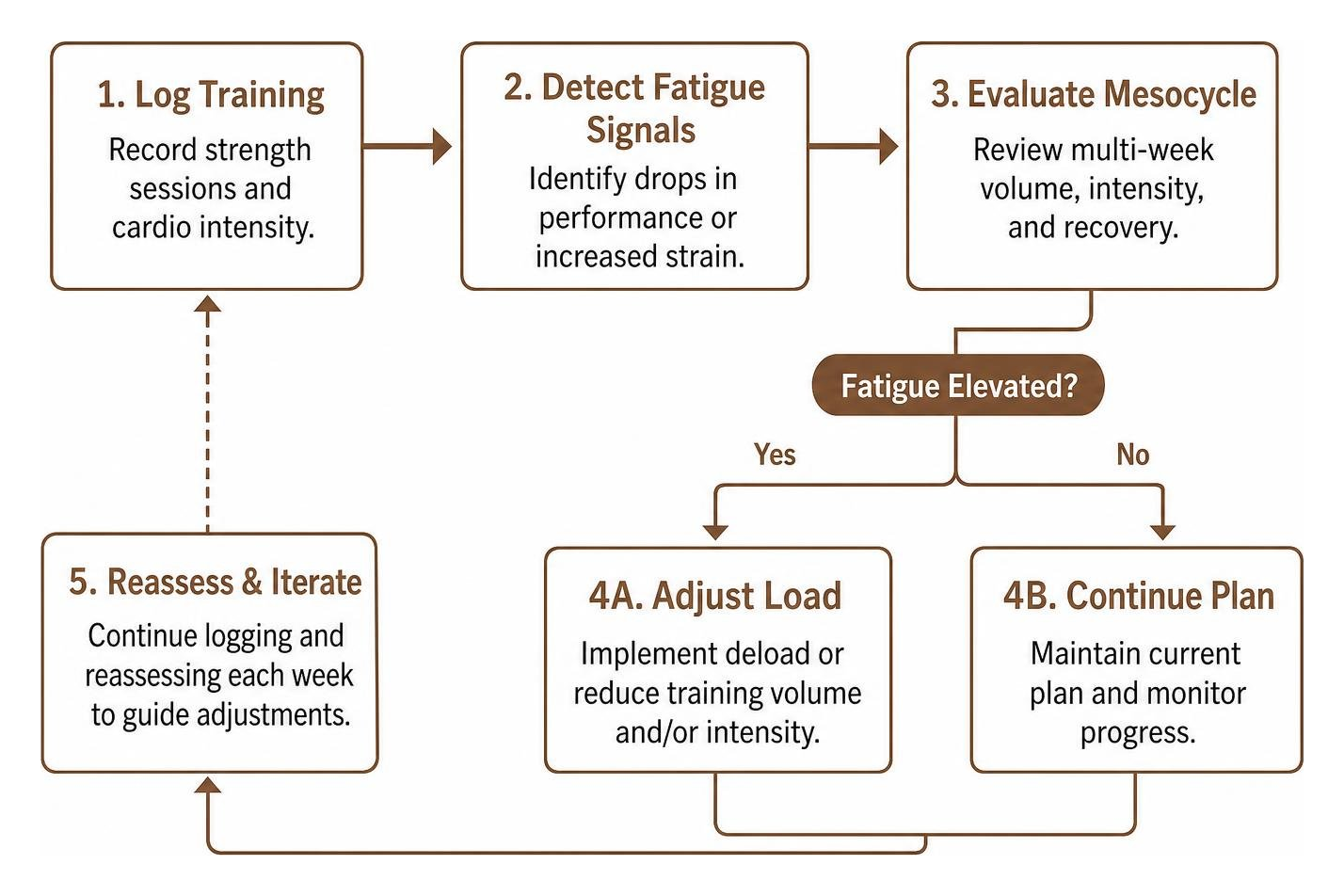
By logging both your cardio intensity and strength volume in one unified journal, you can review multi-week mesocycles. If your squat strength drops suddenly on a Friday, your log can quickly reveal whether Wednesday's unmonitored sprint workout was the culprit.
Data Privacy, Portability, and Backup Strategies
Your training data represents months or years of sweat, discipline, and milestone achievements. Leaving that data trapped in a proprietary closed ecosystem puts you at risk of losing your logs if the platform changes its pricing, gets acquired, or shuts down.
To build sustainable workout habits that last year-round, check out our guide on using a daily weekly monthly habit tracker app.
CSV Export, Device Migration, and Cloud Storage
Never commit your training history to a tool that lacks an open export function. The gold standard for data portability is the humble CSV (Comma-Separated Values) or JSON file.
- Export Anytime: Ensure your tracker lets you download your entire exercise history, set logs, and notes with a single tap—without charging an "export fee."
- Personal Cloud Backups: Back up your raw data files to your personal storage (such as iCloud, Google Drive, or an external hard drive) to safeguard your history without needing third-party servers.
- Cross-App Migration: Standard CSV formatting allows you to freely switch tools or pull your numbers into spreadsheet programs to build custom charts.
Avoiding Subscription Paywalls and Hidden Limits
Many freemium platforms entice users with basic logging, only to apply annoying restrictions once you have logged a few weeks of workouts:
- The Routine Cap: Limiting free users to only 3 or 4 saved workout routines, forcing you to manually overwrite templates each week.
- The History Paywall: Hiding workouts older than two or three months behind a monthly fee.
- Analytics Locking: Gating 1RM progression charts, volume heatmaps, and PR history behind premium tiers.
Look for tools that respect the user: zero ads, unlimited routine creation, uncapped historical logs, and no artificial roadblocks.
Frequently Asked Questions About Workout Tracking
Can you log unlimited workouts without paying for a subscription?
Yes. Many modern, user-first workout trackers and web-based logging tools offer unrestricted workout logging, unlimited routine templates, and full historical tracking completely free. These tools maintain lean operating models or offer independent local-first utilities that do not require expensive server architectures to run.
What is the best way to back up fitness data without an account?
For privacy-focused and no-account tools, the most reliable backup strategy is regular CSV or database file exports. You can save these export files directly to your device storage, email them to yourself, or sync them with your private cloud drive (such as iCloud or Google Drive). This keeps your data safe from device damage while ensuring no third party can read your logs.
How do free trackers handle both cardio runs and heavy lifting?
Quality free trackers provide distinct data input fields depending on the exercise type. Resistance exercises utilize weight, reps, RPE, and set classification fields, while cardio exercises dynamically present distance, duration, split pace, and interval counters.
Conclusion
Tracking your fitness journey should be an empowering habit, not a monthly expense or a privacy compromise. Whether you are tracking heavy barbell compounds, managing running intervals, or logging bodyweight circuits, the right digital tool provides clear insights into progressive overload without unnecessary distractions.
By choosing a solution that prioritizes clean metric tracking, data ownership, and hybrid versatility, you retain complete control over your health records. If you value a secure, distraction-free environment to log your fitness sessions and health metrics locally on your iPhone, check out our private exercise log to keep your workouts organized and private forever.