An Essential Guide to Finding a Reliable Step Counter App
Key Features That Define the Best Step Counter App Options
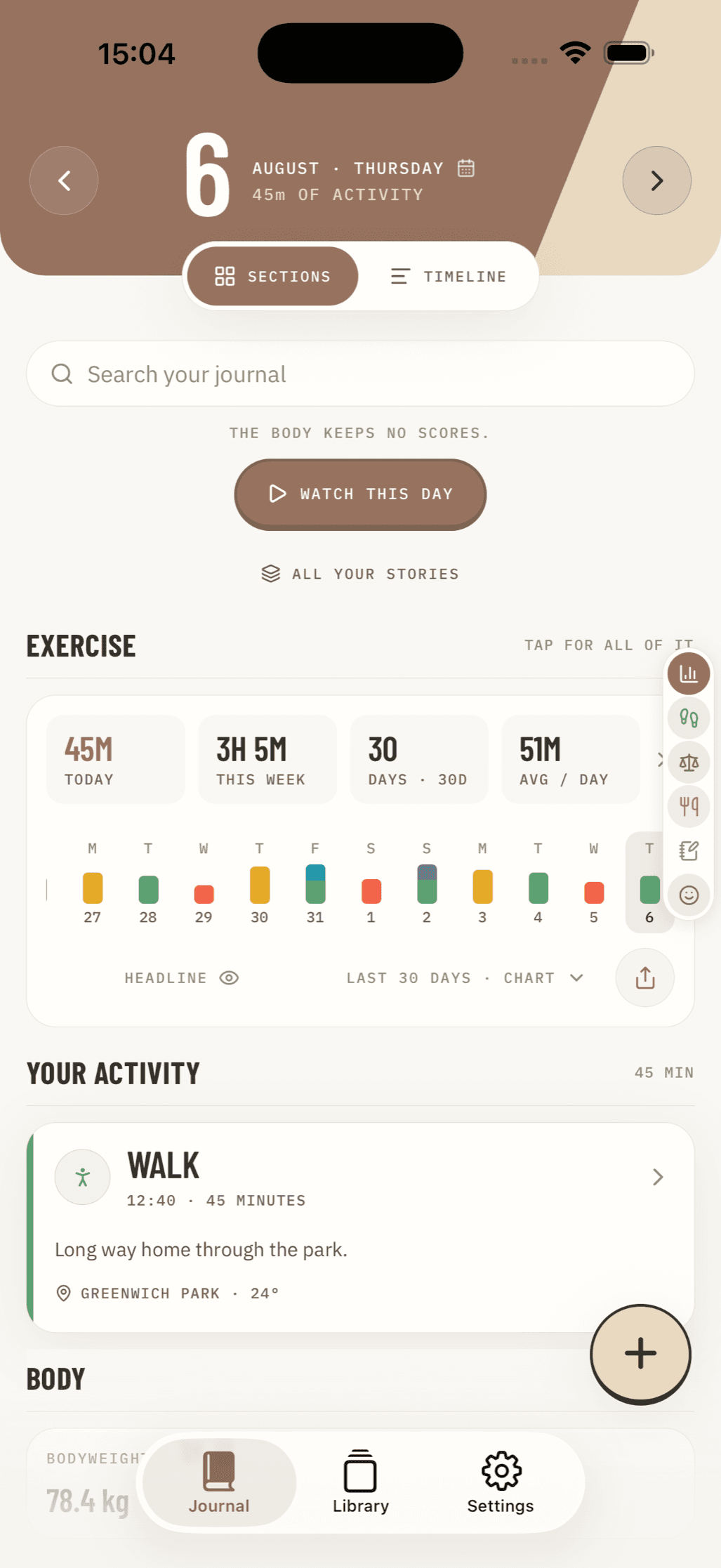
Finding a great walking companion on your phone comes down to reliability, ease of use, and respecting your attention. A solid tool turns subtle body movement into actionable health milestones without turning your battery into a pocket warmer or your screen into a billboard. Whether you are aiming for the classic 10,000 daily steps or pacing between meetings, the foundational design of the app dictates whether it supports your routine or causes friction.
When evaluating tools, focus on how the interface displays your activity over time. High-performing solutions offer at-a-glance summaries showing daily totals alongside weekly and monthly trends. Visualizing patterns helps you identify active days and sedentary dips, transforming sporadic walks into sustainable routines. Pairing your walking stats with a dedicated daily weekly monthly habit tracker app creates a clear overview of how movement integrates with your broader wellness objectives.
Core elements to look for in a quality pedometer include:
- Hardware sensor utilization: Apps should tap into the device's built-in accelerometer or motion coprocessor rather than running power-hungry positioning services continuously.
- Offline operation: The ability to count steps, log active minutes, and display graphical trends without requiring a persistent cellular connection.
- Sensitivity calibration: Settings that let you fine-tune step detection thresholds to match your natural stride or carrying style.
- Non-intrusive design: Interfaces that prioritize quick data consumption over push-notification spam, pop-up surveys, or predatory advertising.
Sensor-Based Detection vs. GPS Tracking Mechanics
The fundamental difference between lightweight pedometers and heavier activity trackers lies in how they measure movement. Most straightforward step counters rely entirely on the accelerometer embedded in your device. This sensor detects rhythmic oscillations and acceleration peaks created as your foot strikes the ground.
Because modern smartphone operating systems feature dedicated low-power motion coprocessors, sensor-based counting consumes minimal power. It operates seamlessly in the background while your screen is locked in your pocket or handbag.
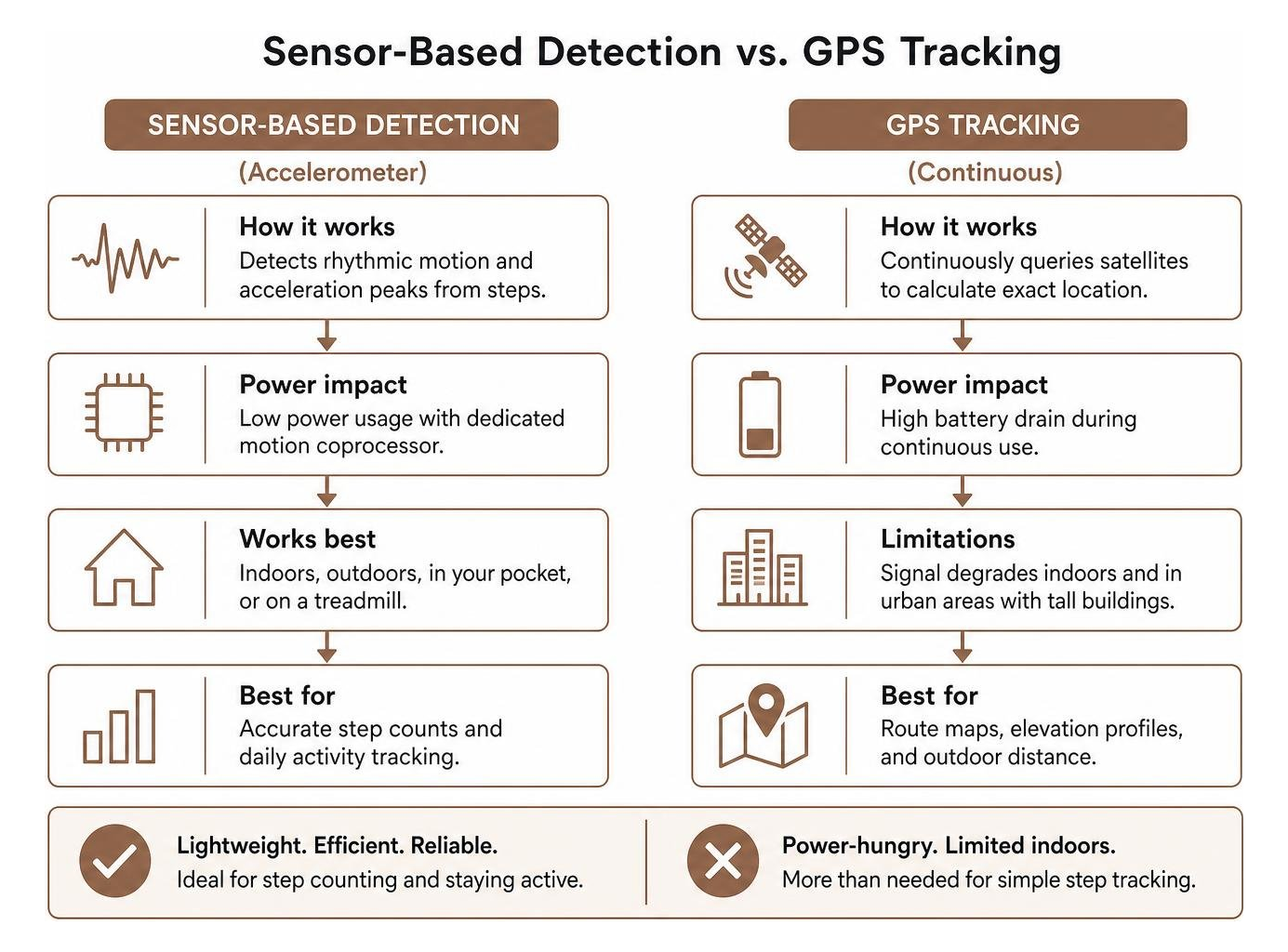
In contrast, GPS tracking continuously queries satellite networks to calculate your exact geographic coordinates over time. While GPS provides exact route maps, elevation profiles, and precise outdoor distance measurements, it comes at a steep cost:
- Heavy battery drain: Active GPS usage can deplete a smartphone battery within a few hours of continuous outdoor logging.
- Environmental limitations: Satellite signals degrade indoors, on treadmills, or inside urban canyons with tall buildings.
- Unnecessary complexity: If your primary goal is tracking daily footfalls and staying active, constant satellite positioning adds overhead without improving step accuracy.
Sensor-based tools calculate distance by multiplying your total step count by an estimated stride length. Entering your accurate height, weight, and biological sex within settings calibrates these distance and calorie calculations without ever requiring access to your real-time location.
Free vs. Subscription Models in a Step Counter App
The step tracking market is filled with free utilities, ad-supported tools, and recurring subscription services. Understanding what separates a basic free utility from a premium tier helps you avoid paying for features you do not need.
Free, ad-supported tools often provide baseline functionality: daily step counts, calorie estimates, distance calculations, and standard bar charts. However, many free products monetize through aggressive interstitial video ads, banner clutter, or third-party data tracking. In extreme cases, users report intrusive ads appearing every time they unlock their device or attempt to pause tracking.
Premium subscriptions typically range from small weekly fees to annual passes costing between $20 and $35 per year. Paid tiers generally unlock:
- Complete ad removal and cleaner visual layouts.
- Advanced historical analytics, such as year-over-year comparisons and heart-rate zone distributions.
- Social competition features, custom challenge creation, and expanded cloud backups.
- Comprehensive data export options (CSV, JSON, or health ecosystem links).
If you want structured exercise logging without recurring subscription fees or ad bloat, exploring a free online workout tracker approach allows you to record physical achievements on your own terms.
Comparing Motivation Tools: Social Challenges, Gamification, and Solo Goals
Motivation varies widely from person to person. Some walkers thrive on competitive leaderboards and community pressure, while others find public metrics stressful and prefer personal streak-building.
| Motivation Element | Social Challenge Apps | Solo Reflection & Streak Tools |
|---|---|---|
| Primary Driver | External accountability & rank | Internal consistency & mindfulness |
| Data Visibility | Public or shared with group | 100% private to the individual |
| Engagement Tool | Live leaderboards, bot races, badges | Daily streaks, personal milestones |
| Best For | Workplace wellness, competitive friends | Habit building, private health logging |
| Potential Drawback | Step anxiety, notification fatigue | Requires self-directed discipline |
Apps focused on community engagement often support group challenges for dozens or even hundreds of participants. These platforms introduce gamified elements like virtual competitors (automated pacing bots), team leaderboards, and shared achievement feeds. Competing with friends or coworkers can provide an initial spark for workplace wellness initiatives.
On the other hand, social competition can occasionally backfire. Real-time leaderboards may cause step count anxiety, encouraging users to push past physical fatigue or log unnatural movements just to maintain ranking.
Motivation Systems in a Step Counter App for Habit Building
For sustainable long-term movement, personal streak systems and milestone markers often outperform competitive leaderboards. Setting a realistic daily target—such as 6,000 to 8,000 steps—and protecting that streak encourages manageable, daily consistency.
Establishing clear walking targets creates a sustainable routine that integrates with broader fitness programming. Reviewing practical weekly exercise log tips 2026 can help you balance daily step goals with recovery days and cross-training.
Building lasting habits works best when the tracking tool acts as a low-friction record rather than an intrusive coach. When step logging is simple, users view their daily movement as part of a broader lifestyle rather than an isolated game. For those looking to structure their entire physical routine, our workout tracker app ultimate guide 2026 offers deep insights into combining walking with strength, cardio, and mobility work.
Data Privacy, Device Battery Life, and Health Platform Integration
Modern health monitoring generates sensitive personal telemetry. Every step logged reveals when you wake up, your daily commute habits, your active hours, and even hints at your baseline physical fitness.
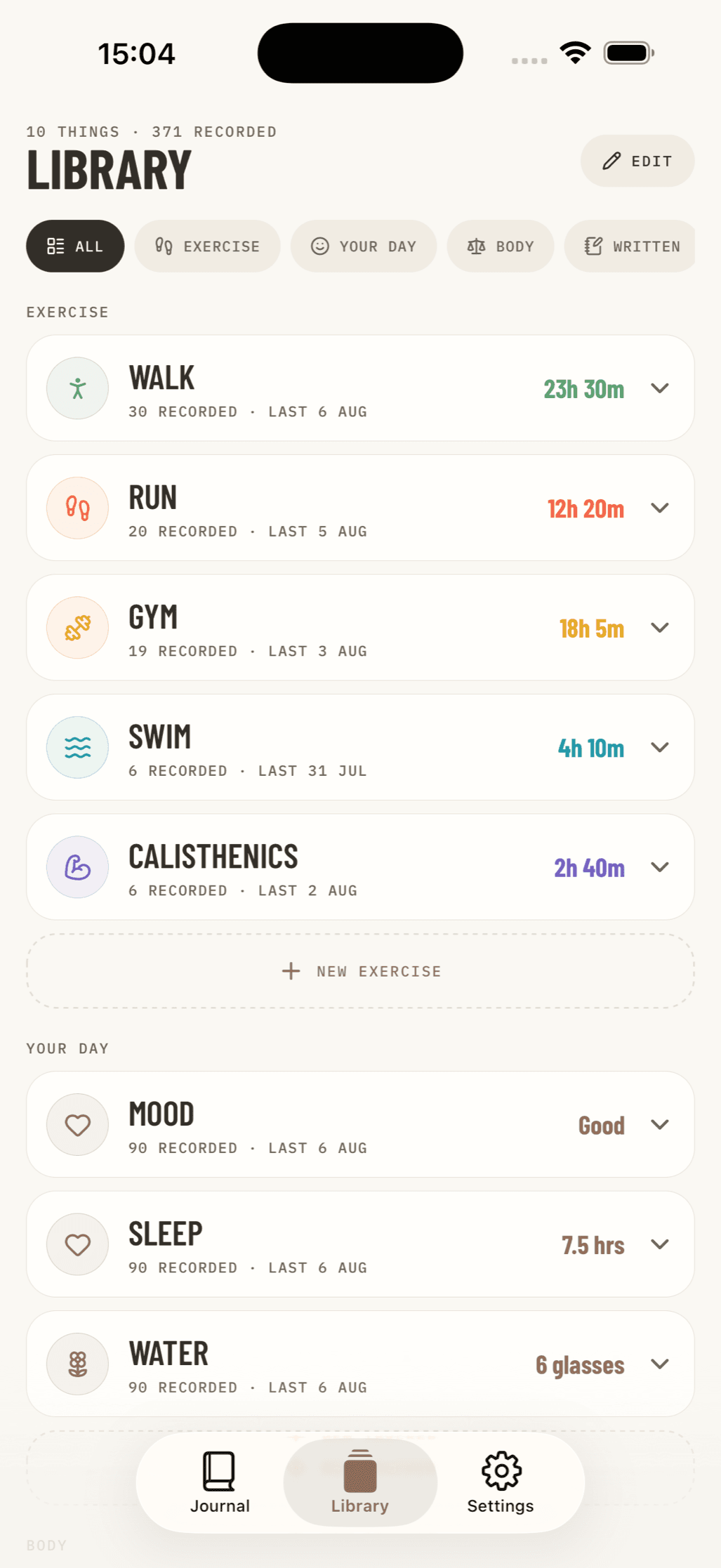
Many popular utility apps collect device identifiers, approximate locations, and usage statistics to share with advertising networks. To protect your digital footprint, look for products built around a privacy-first architecture:
- Local-first data storage: Step logs, notes, and activity histories remain stored securely in your phone’s local flash memory rather than on remote third-party servers.
- Zero-account requirements: Pedometer apps should function immediately upon installation without demanding an email address, phone number, or social media login.
- Transparent data exports: You should always have the right to export your complete movement records in open formats without encountering paywalls.
Balancing privacy with cross-device tracking is especially important when setting up Android or iOS ecosystems. If you are comparing mobile setups, reviewing the best health tracker app for android can clarify how local storage models compare to automated cloud frameworks.
Syncing Motion Data with Ecosystem Health Platforms
While local tracking protects individual logs, many walkers appreciate aggregating their daily activity into central ecosystem dashboards like Apple Health or modern Android health frameworks.
Integrating motion data with these frameworks offers several advantages:
- Consolidated wellness metrics: Motion sensors feed daily footfalls directly into the system, combining steps with sleep analysis, nutrition logs, and resting heart rate data.
- Wearable and phone aggregation: System-level health hubs intelligently deduplicate steps when you carry both an Apple Watch or fitness band alongside your smartphone.
- Granular permissions: Operating-system-level frameworks allow you to grant read or write access on a strictly per-metric basis, ensuring external apps only see the specific data points you authorize.
Solving Common User Pain Points: Inaccuracies, Ad Clutter, and Battery Drain
Despite advances in mobile hardware, step tracking utilities still face common technical hurdles. Understanding why these issues occur makes it easier to troubleshoot them effectively.
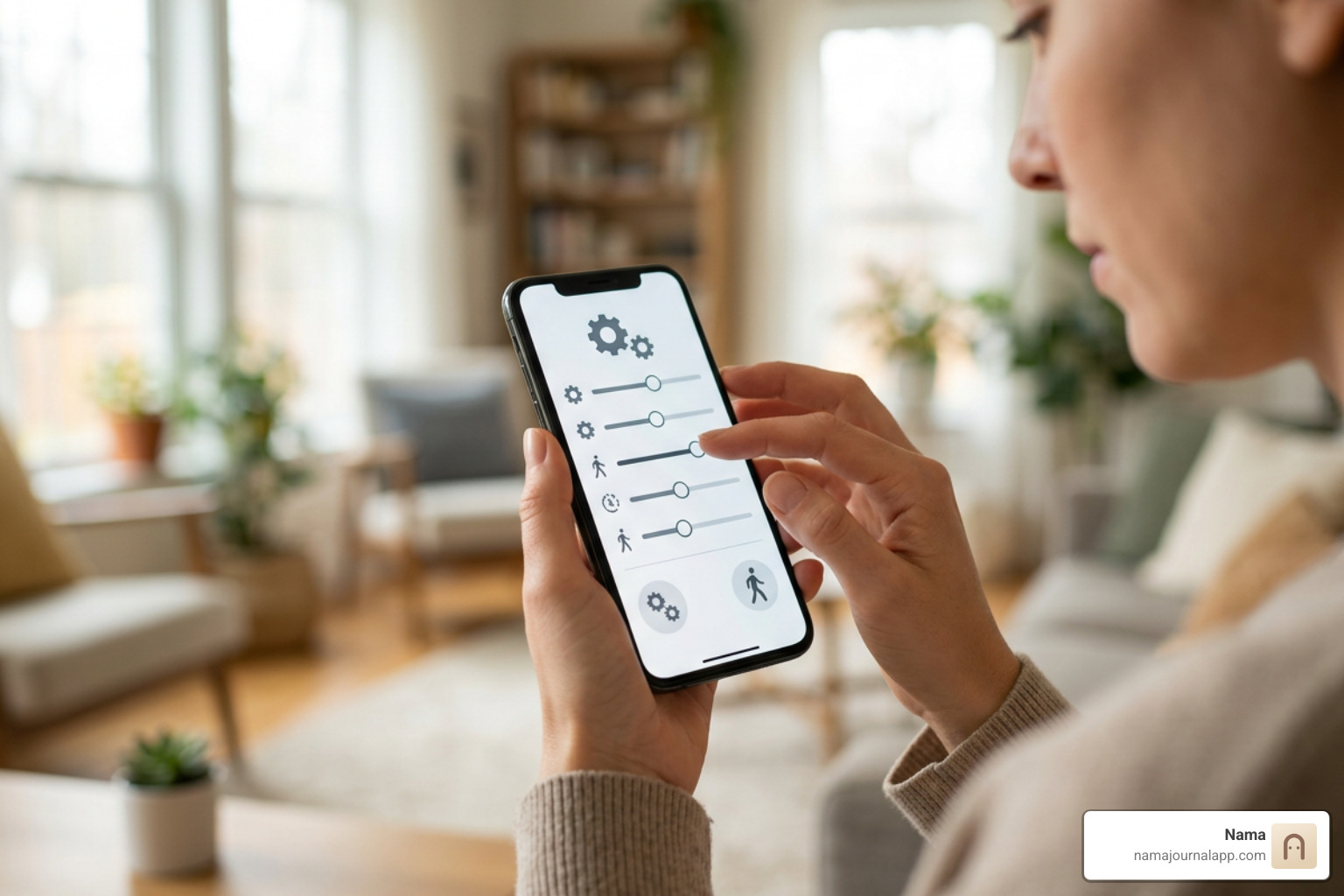
- False step recording: Smartphone accelerometers can mistake non-walking vibrations—such as bumpy car rides, lawnmowing, or transit commutes—for steps. Look for apps that provide an explicit "Pause Tracking" toggle or sensitivity calibration sliders to filter out minor engine vibrations.
- Background task termination: Aggressive battery-saver modes on various smartphone operating systems frequently terminate background processes to conserve power. If your step counter stops tracking when the screen locks, add the application to your operating system's "Never Sleep" or "Unrestricted Battery" whitelist.
- Notification fatigue: Daily reminders that shout slogans or send multiple push alerts per hour disrupt focus. A quality pedometer lets you disable motivational alerts completely while keeping the silent background counting intact.
- Ad disruption: If free utilities interrupt your routine with loud video ads, consider switching to dedicated offline tools or privacy-focused journal formats.
Keeping an intentional, reflective exercise journal allows you to log daily movement alongside subjective notes—like energy levels, soreness, and route thoughts—without dealing with automated notification spam or inaccurate sensor spikes.
Frequently Asked Questions About Step Tracking
How accurately does a phone track steps compared to a wearable?
Modern smartphone motion sensors are remarkably accurate for dedicated walking and running sessions, often matching wrist-worn wearables within a 3% to 5% margin of error when kept in a front pants pocket. Because the device is situated near your center of mass, hip and leg movements create clear acceleration curves for pedometer algorithms.
However, smartphones lose accuracy if carried loosely in an oversized bag, held stationary in a hand while browsing, or left on a desk during brief indoor trips. Dedicated wearables track these incidental indoor steps more reliably, while phones excel during sustained outdoor walking.
Why do some step counters drain phone battery faster than others?
Battery consumption depends entirely on the background tracking method. Pure pedometers that rely on the phone's low-power motion coprocessor operate on negligible power, often consuming less than 1% to 2% of total battery over an entire day.
Step counters that incorporate live GPS route tracking, animated continuous background displays, or heavy third-party ad frameworks keep the device's main application processor awake. This causes rapid battery drain, generating heat and exhausting the battery within several hours of active logging.
Can I track steps effectively without an internet connection?
Yes. Step detection is performed entirely through local hardware sensors on your device. Accelerometers detect physical motion through internal electrical resistance changes, requiring no cellular connection, Wi-Fi, or cloud authentication.
Offline tracking saves battery, protects your location privacy, and ensures your activity is logged accurately even when hiking in remote areas or navigating subway systems with zero reception.
Conclusion
A dependable pedometer should make daily movement visible without cluttering your digital life. Whether your priority is monitoring health markers, hitting a daily 8,000-step target, or maintaining a steady walking streak, selecting a tool that operates efficiently in the background keeps the focus on your physical wellness.
For those who value complete digital privacy, a quiet interface, and full control over personal wellness records, combining daily walking with a dedicated custom exercise log through Nama provides a clean alternative to ad-heavy utilities. By logging your physical activity, workout milestones, and wellness notes locally on your iPhone without accounts, cloud dependencies, or tracking algorithms, you can build lifelong movement habits entirely on your own terms.