Level Up Your Training Using the Best App to Track Weights and Reps
Find an App to Track Weights and Reps That Fits Your Training

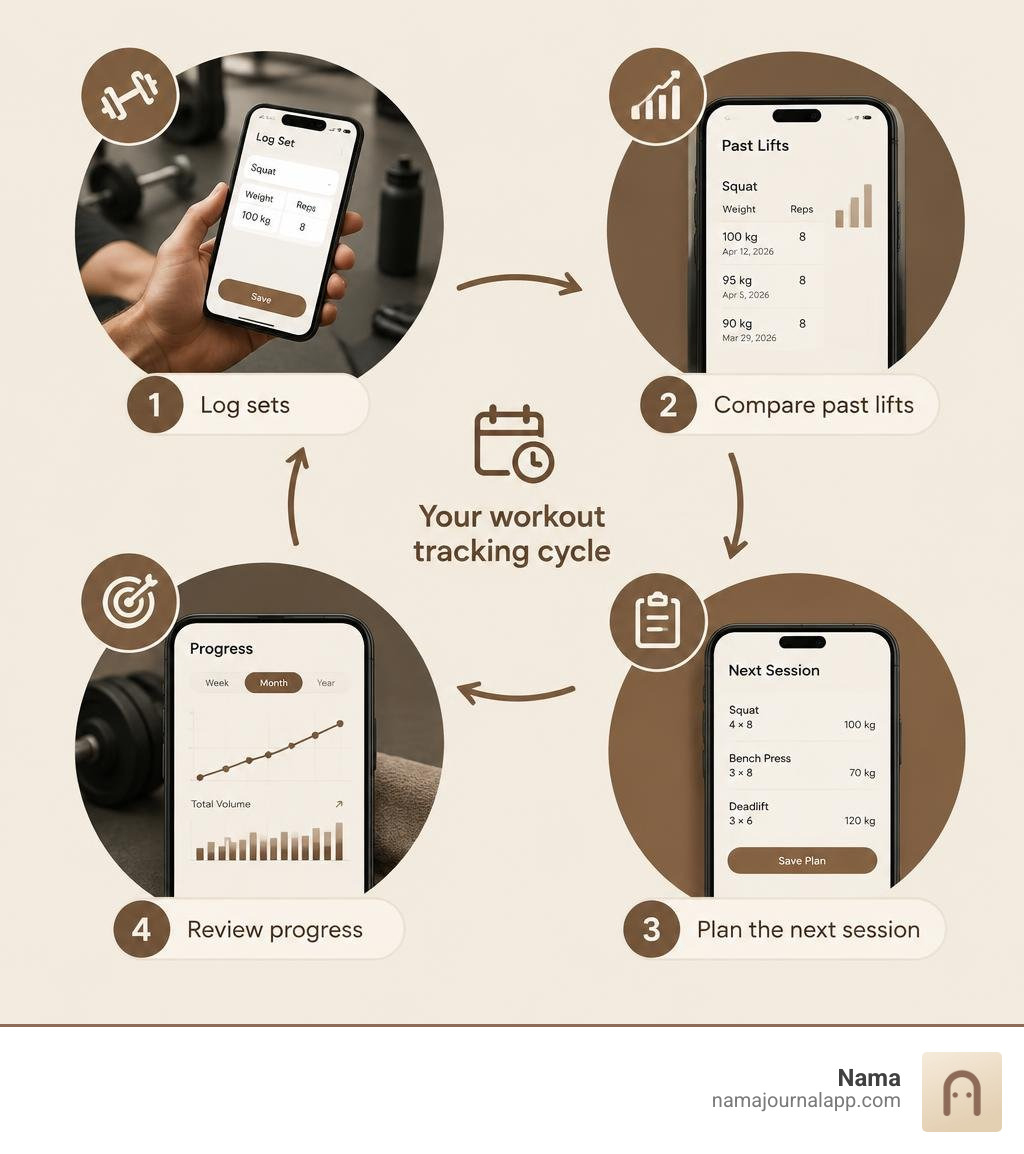
The best app to track weights and reps is one you can use quickly between sets. Look for easy logging, a view of your past lifts, progress charts, and a way to export your data. Rest timers and personal-record tracking are useful extras. If privacy matters to you, check whether the app requires an account or stores your workouts in the cloud.
This roundup focuses on what makes a workout log useful during training and over time, so you can choose the right fit for your routine.
App to track weights and reps vocab to learn:
Essential Features to Look for in an App to Track Weights and Reps
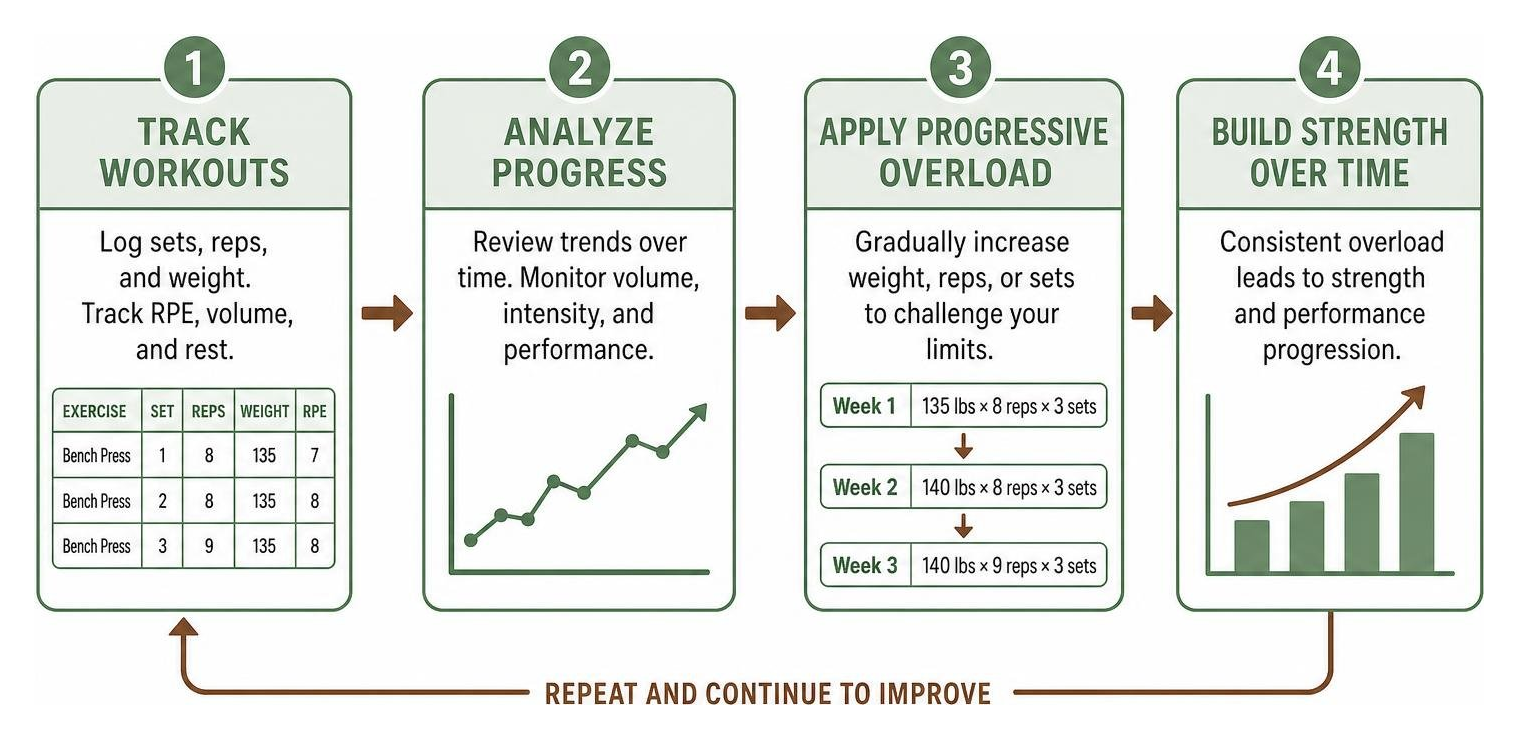
Selecting the right training companion requires looking past flashy animations to examine core utility. When fatigue sets in during an intense session, navigating complex menus is the last thing you want to do. The primary job of your log is to facilitate progressive overload—the systematic increase of weight, repetitions, or volume over time—without getting in the way of your effort.
To support consistent strength gains, a modern workout log should include several foundational capabilities:
- Quick Set and Rep Entry: Numeric keypads designed for rapid inputs with minimal taps.
- Previous Session Visibility: Showing what you lifted last week directly next to the active input fields so you know exactly what target to beat.
- One-Rep Max (1RM) Calculations: Automatic mathematical estimation of your maximal strength based on submaximal working sets.
- Plate Calculators: Tools that break down barbell loads into specific plate combinations to prevent mental math errors when fatigued.
- Flexible Exercise Creation: An expansive library paired with the ability to define custom movements, implement unique split routines, or note tempo.
| Essential Feature | What It Does | Why It Matters During Training |
|---|---|---|
| Inline Past Performance | Displays previous weights and reps on the active logging screen | Eliminates guesswork and ensures measurable progressive overload |
| Auto Rest Timers | Triggers countdown automatically when a set is checked off | Standardizes recovery windows between heavy working sets |
| Advanced Set Tagging | Categorizes warm-ups, drop sets, failure sets, and supersets | Keeps data clean for accurate volume and fatigue analysis |
| Automated 1RM Estimation | Calculates theoretical maximums using validated formulas | Helps gauge strength readiness without testing true maximums daily |
| Offline Data Architecture | Stores workouts locally on device storage without mandatory internet | Ensures zero lag and full functionality in dead-zone basements or commercial gyms |
Finding the best weight training tracker comes down to matching these features to your specific routine, making sure the software reduces friction rather than adding extra screen time.
Why Every Lifter Needs an App to Track Weights and Reps
Relying purely on memory to manage progressive overload rarely works across multi-week training blocks. Remembering whether you completed 8 or 9 reps on your third set of overhead presses last Tuesday is difficult, especially when balancing multiple exercises per workout.

A digital exercise journal transforms raw training data into actionable feedback. It tracks Rate of Perceived Exertion (RPE), manages warm-up progressions through percentage-based calculations, and computes cumulative volume load (weight multiplied by reps multiplied by sets). This objective historical record prevents two common training mistakes: undertraining by repeating comfortable weights, or overtraining by adding intensity too quickly.
In-Session Logging: Supersets, Drop Sets, and Rest Timers
During a workout, execution speed matters. Advanced resistance training often incorporates varied set structures that basic note-taking apps struggle to organize. Modern logging tools allow lifters to link movements into agonist-antagonist supersets or compound circuits, keeping timers aligned across paired exercises.
Handling drop sets requires quick-entry workflows where weight decreases can be logged across rapid successions without resetting the exercise block. Built-in plate calculators remove cognitive strain after exhausting lifts, showing you the exact arrangement of 45, 25, or 10-pound plates required for the barbell. As explored in our workout tracker app ultimate guide 2026, smooth in-session interaction keeps you focused on your physical effort instead of your screen.
Progress Analytics and Training Styles Support
Logging your sets is only half the equation; the real value comes from evaluating long-term trends. Progressive resistance training demands different analytical views depending on whether your goal is pure strength, hypertrophy, or functional conditioning. Authoritative guidelines, such as the Resistance Training Prescription for Muscle Function, Hypertrophy, and Physical Performance, demonstrate that manipulating volume, load, and rest periods creates distinct physiological adaptations.
A dedicated bodybuilding workout tracker organizes these variables to illustrate muscle-group frequency and overall volume distribution, helping you target specific adaptations effectively.
| Discipline | Primary Metrics Monitored | Key Charting Requirements |
|---|---|---|
| Powerlifting | Absolute 1RM, RPE, top-set intensity, bar speed | Estimated 1RM trends, fatigue curves, percentage-of-max tracking |
| Bodybuilding | Total tonnage, weekly set volume per muscle group, rep ranges | Muscle volume distributions, multi-month hyper-trophy consistency |
| Calisthenics | Added external load, bodyweight percentage, isometric hold time | Rep count progression, tempo tracking, bodyweight ratio shifts |
| General Conditioning | Circuit completion times, density, rest interval compliance | Heart rate integration, total active work time, pacing splits |
How Beginners vs Advanced Lifters Use an App to Track Weights and Reps
Training experience heavily dictates how you interact with workout tracking tools. Beginners benefit most from simple routine templates, structured push-pull-legs or upper-lower splits, and straightforward linear progression models. For someone new to the gym, visualizing steady gains on basic compound movements builds early confidence and reinforces workout consistency.

Advanced lifters require nuanced tools for periodization. They need to monitor RPE and Reps in Reserve (RIR) to manage central nervous system fatigue, track calculated volume loads across mesocycles, and customize multi-week peaking waves. Using a comprehensive fitness journal app allows experienced trainees to spot plateaus early and adjust accessory volume before overreaching occurs.
Wearable Integration and Hardware Syncing
A streamlined gym experience often means keeping your phone in your locker or gym bag. Modern training setups often rely on smartwatch companions to display target weights, record completed reps, and trigger rest intervals directly from the wrist.
Native syncing with central health frameworks like Apple Health and HealthKit allows strength sessions to sit alongside daily recovery metrics, resting heart rate, and sleep staging. If wrist-based logging suits your gym workflow, check our breakdown of the best apple watch app for weight training to see how standalone watch applications handle live set logging.
Data Privacy, Portability, and Cost Models in 2026
The software landscape in 2026 presents diverse models for handling user data and monetization. Many mainstream platforms require cloud accounts, storing detailed biometric metrics, workout timestamps, and physical logs on central remote servers. In exchange, they offer community feeds, public leaderboards, and social workout sharing.
However, an increasing number of lifters prioritize local-first architecture and full data ownership. Storing training logs directly on your physical device eliminates server outages, works without an internet connection, and protects personal wellness information from third-party monetisation or data breaches.
Lifters also face varied pricing structures across the market:
- Free Utility Models: Offer core set logging, basic routine builders, and local history tracking at no cost.
- Subscription Tiers ($2.99–$9.99/month): Add cloud-synced analytics, expanded social features, custom asset libraries, and server-side trend calculations.
- Lifetime Purchases: Single upfront payments that bypass recurring subscription models entirely.
When choosing between platforms or evaluating a free online workout tracker, verify that the software supports clean CSV or JSON data export. Open data portability guarantees that years of dedicated lifting logs remain accessible even if you decide to change platforms. Choosing tools that let you track anything privately ensures your long-term training records stay fully under your personal control.
Frequently Asked Questions About Workout Logging
Do I need to create an account to track weights and reps?
No, you do not need an account to track your workouts. While many apps mandate cloud profiles to drive social feeds or subscription tiers, local-first logging apps operate entirely on your device's native storage. These account-free solutions allow you to open the app, log sets, and store your training history without sharing an email address or syncing data to external servers.
How does an app calculate estimated one-rep max?
Most workout trackers use validated mathematical formulas—such as the Brzycki, Epley, or Lombardi equations—to estimate your one-rep maximum from submaximal sets. For example, the Epley formula estimates max strength through the following calculation:
These formulas work best when applied to sets performed between 2 and 10 repetitions close to muscular failure, giving you a reliable measure of strength progression without the injury risks of testing true 1RMs every week.
Can digital workout logs replace a traditional paper notebook?
Yes, digital logs easily match and exceed the utility of paper notebooks. While physical journals offer tactile simplicity, digital logs automate historical performance lookups, instantly calculate total volume load, run automatic rest countdowns, and chart multi-year progress curves. They also keep your entire training history readily accessible in your pocket without the risk of damaged or misplaced physical pages.
Conclusion
Building strength efficiently over months and years comes down to consistent progressive overload, honest effort, and reliable record-keeping. The best logging solution is one that stays out of your way during hard sets while giving you clear, actionable data outside the gym.
We built Nama around a private, local-first approach to wellness and strength tracking. If you want a distraction-free environment that requires no user accounts, functions completely offline, and safeguards your health data locally on your iPhone, discover how our customizable exercise log supports your fitness journey while keeping your personal logs secure.